For the seller who’s seen ten of these
Show the seller. Don’t tell them.
Built on iPad. Live in the meeting. The seller stops watching and starts doing — running the numbers, dragging the before into the after, right there in the room.
The workflow
Your AI writes it. You present it.
An AI widget is a small interactive thing that lives on a tile — a calculator, a net sheet, a before-and-after. You don’t write code, and PitchBoards doesn’t generate it for you. Your own AI does, in three steps.
- 1
PitchBoards writes the prompt
It fills in your brand colors and the listing's details, then hands you a prompt built for interactive slides. Copy it in one tap.
- 2
Your AI writes the widget
Paste it into ChatGPT, Claude, Gemini — whichever you already pay for — and describe exactly what you want. It writes the working thing.
- 3
Paste it back. It's live
Drop the result onto a tile. Swap the photos, text, and links in-app — no re-generating — and it runs, hosted, right in your presentation.
To be clear: PitchBoards doesn’t write the widget for you — your AI does. We write the prompt, host the result, and keep every later edit deterministic, so you swap a photo or a headline without regenerating anything.
Try it
A real widget, live on this page.
This is an actual PitchBoards widget — the same mortgage calculator an agent drops onto a board. Tap the numbers and watch the payment recalculate. This is what the seller gets to do.
What you can make
The right format for the room you’re walking into.
If you can describe it, your AI can build it. A few of the widgets agents present — every one made with the loop above.
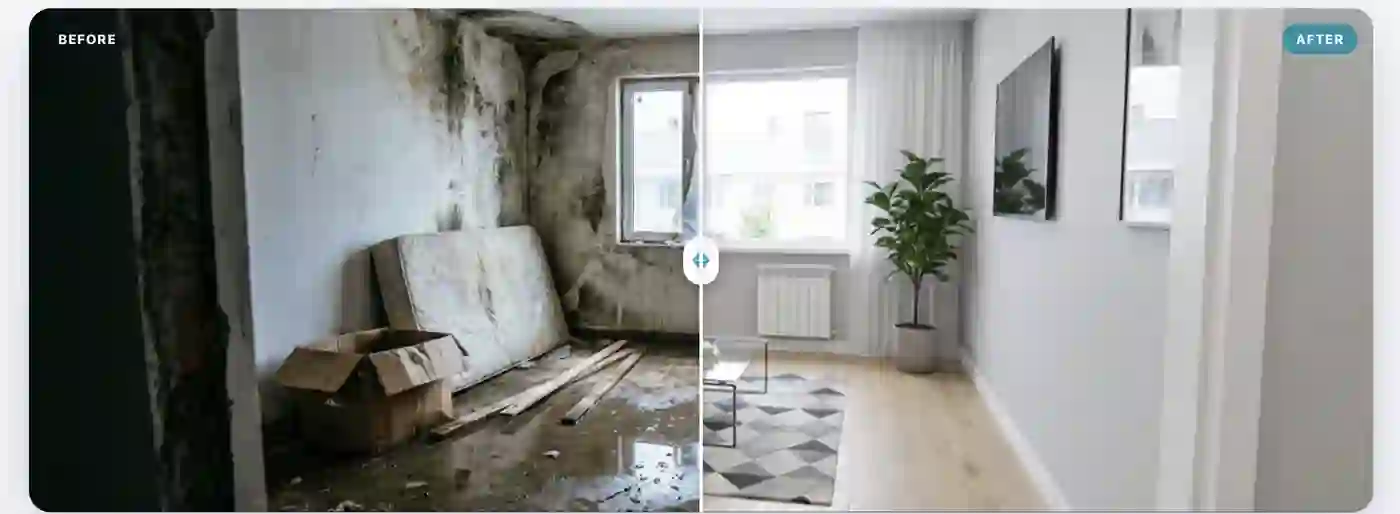
Before-and-after reveal
Drag to wipe between the room as it is and the room as it could be.
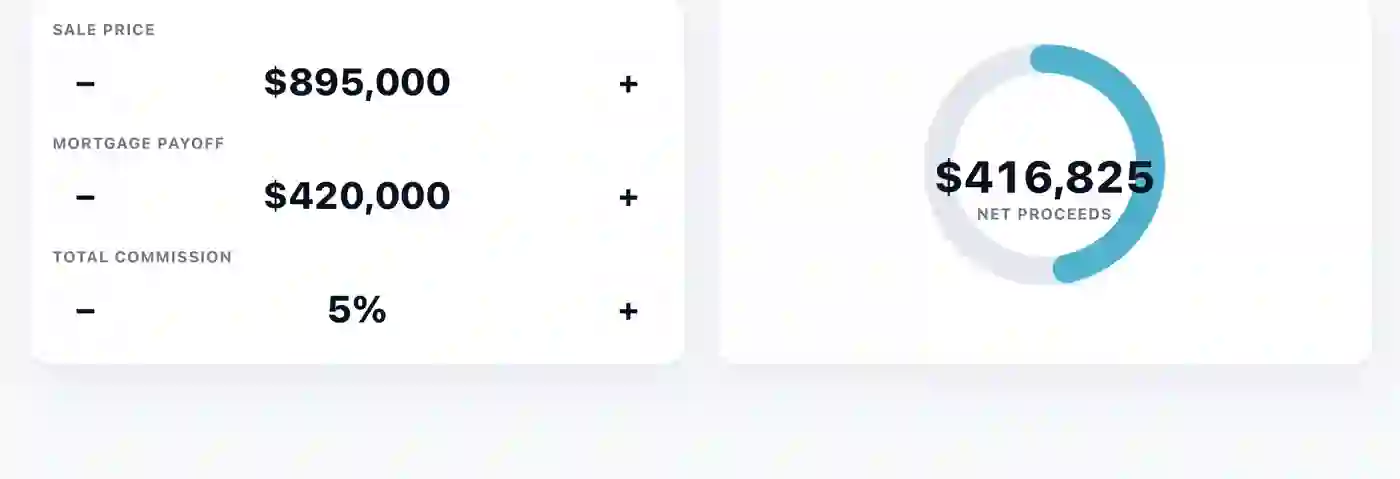
Seller net sheet
Adjust price and fees live; the dial fills to show what the seller walks away with.

Swappable listing gallery
Drop new photos into the slots and the whole gallery re-skins — same widget, any property.

Lead capture
A signup that sends clients straight to your page — set the destination once, edit the words in-app.
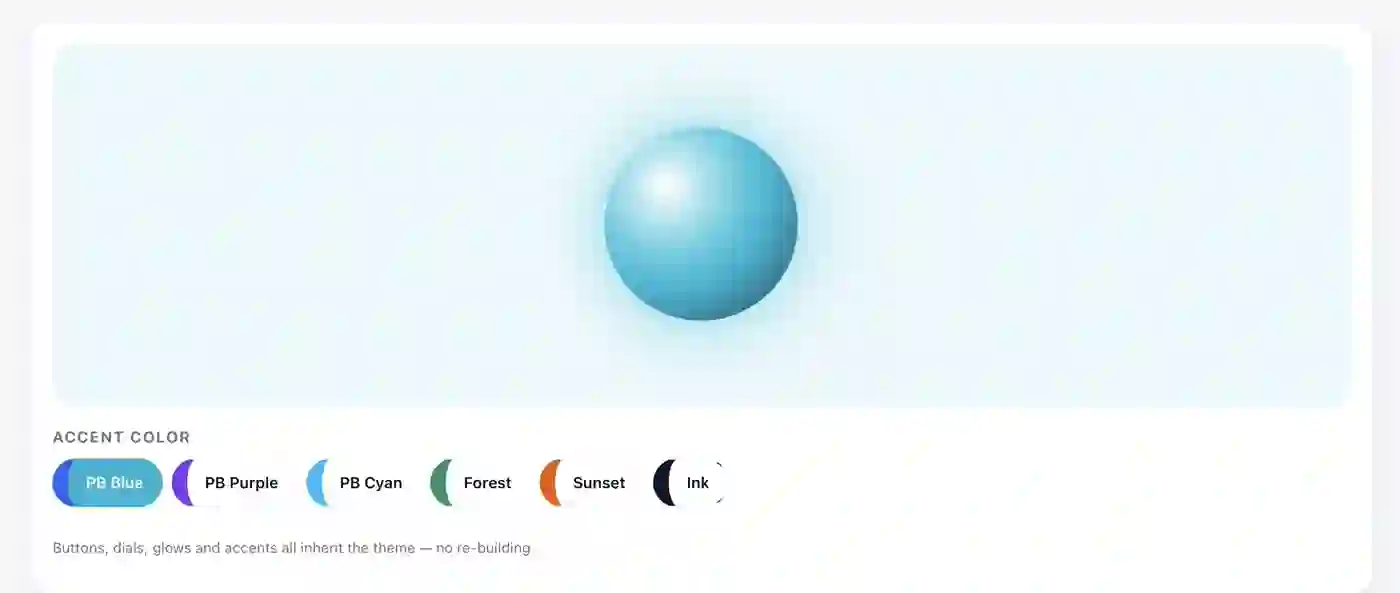
One widget, every brand
Tap a color and the whole widget re-themes — buttons, dials, and glows all follow your brokerage.

Drop-in video tour
A video slot you fill per listing — plays inline, no external player, works offline.
Straight answers
What agents ask about AI.
- Can ChatGPT build my listing presentation?
- Not the whole thing — and any tool that promises it can is overselling. What ChatGPT can build is the interactive pieces. PitchBoards hands you a prompt already filled in with your brand and the listing's details; you take it to ChatGPT (or Claude, or Gemini), and it writes a working widget — a mortgage calculator, a seller net sheet, a before-and-after reveal. You paste that back onto a tile and present it. You still build the board; your AI builds the parts that need to be live.
- Is PitchBoards AI-native?
- It's built for how agents already use AI. Rather than a walled-garden generator, it plugs into the AI tools you already pay for: it writes the prompts, hosts what your AI makes, and keeps every edit deterministic — you swap a photo or a headline in-app without regenerating anything. The AI is a lane running through the app, not a bolt-on feature.
- Does the AI write my listing descriptions?
- No, and we would rather say so plainly. PitchBoards does not generate marketing copy, photos, or video. What its AI does today is narrow and useful: it reads a listing PDF and fills in the details, and it sharpens the prompts you hand to your own AI tools. Writing the words and making the images stays with you and the tools you choose.
- Which AI tools does it work with?
- Whichever you already use — ChatGPT, Claude, Gemini, Grok, and the rest. PitchBoards is deliberately tool-agnostic: it opens your pick in-app, hands over a prompt filled in with your brand and listing, and takes back whatever it produces. No key to bring, no model to learn.
- Do the AI features cost extra?
- No. Every plan includes a monthly AI allowance under fair use — nothing to buy, no credit packs, and no key of your own to bring. It runs from 10 actions a month on Free up to a pool of 4,000 that a whole organization shares on the largest plan.See plans →
- Will the seller know it was made with AI?
- Only if you tell them. What the seller sees is a polished, interactive presentation with your brand on it — a calculator they can actually use, a before-and-after they can drag. They see your work and your tools, not a chatbot. The software disappears the moment you start presenting.