Build
Show a website or any link on a tile
A tile can open any public web page: your website, a Google Slides or Canva deck, or a 3D home tour. In edit mode, tap ⋯ on the tile, then Add destination and Website. Type or paste the link and tap Save. Tap the tile to open the live page inside PitchBoards.
Updated By Isaac Stalzer
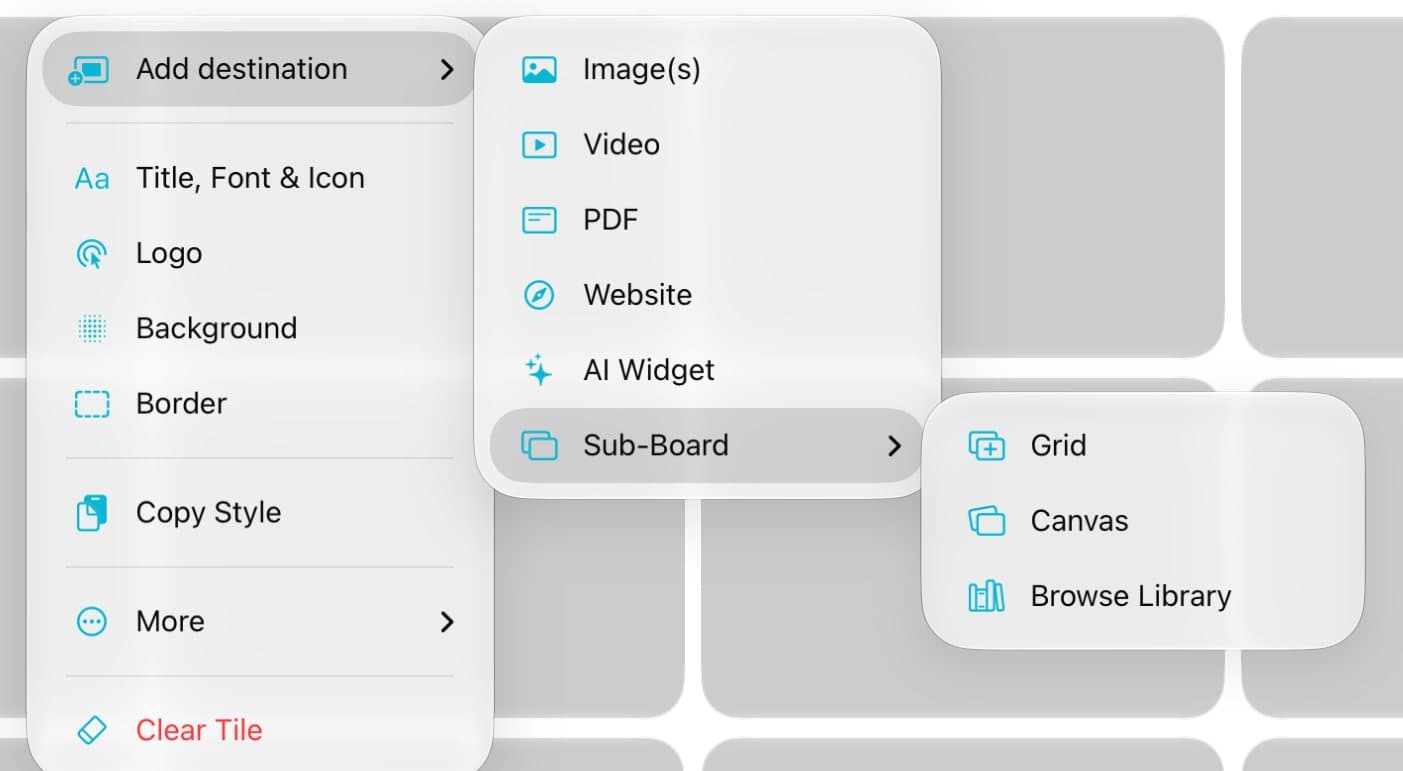
Step 1 of 3
Open the website sheet
In edit mode, tap ⋯ on a tile. Tap Add destination, then Website.
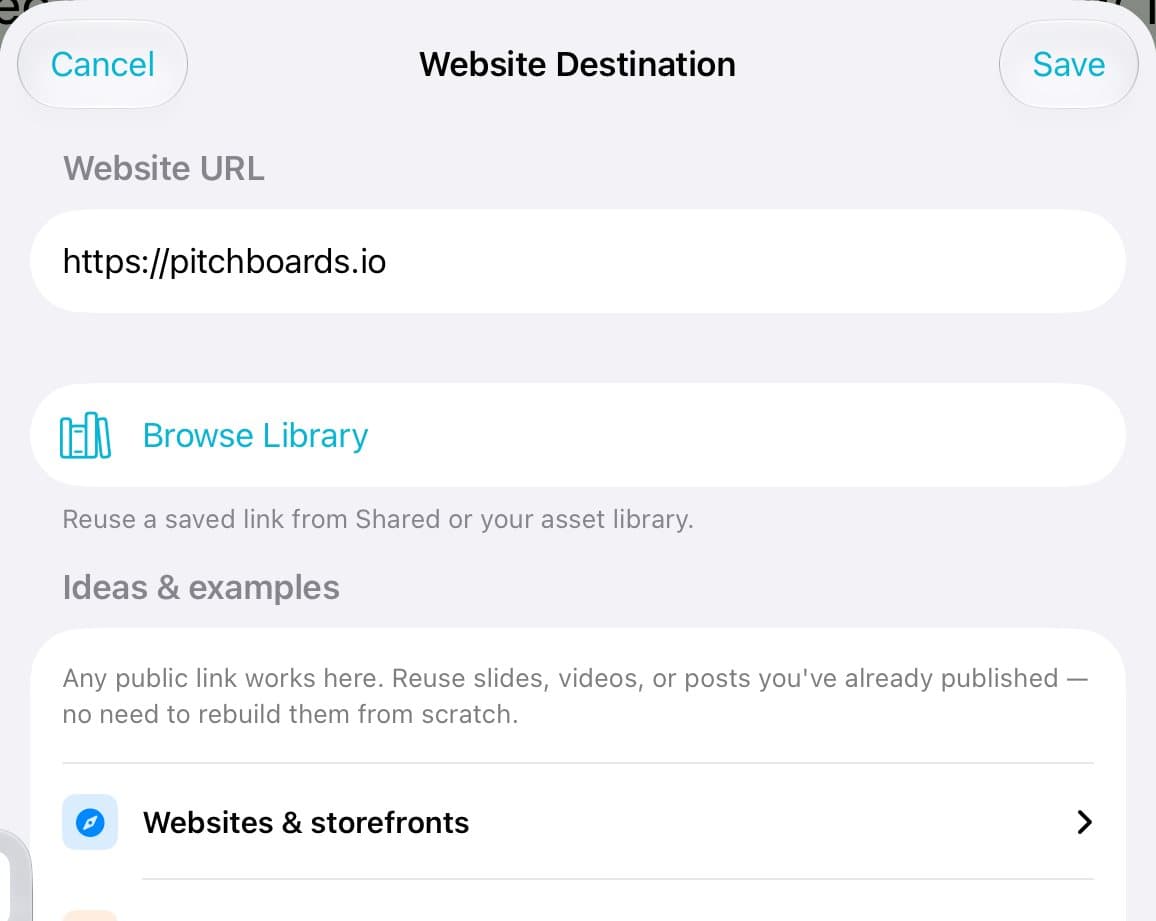
Step 2 of 3
Paste the link
Type or paste the web address. Tap Save.
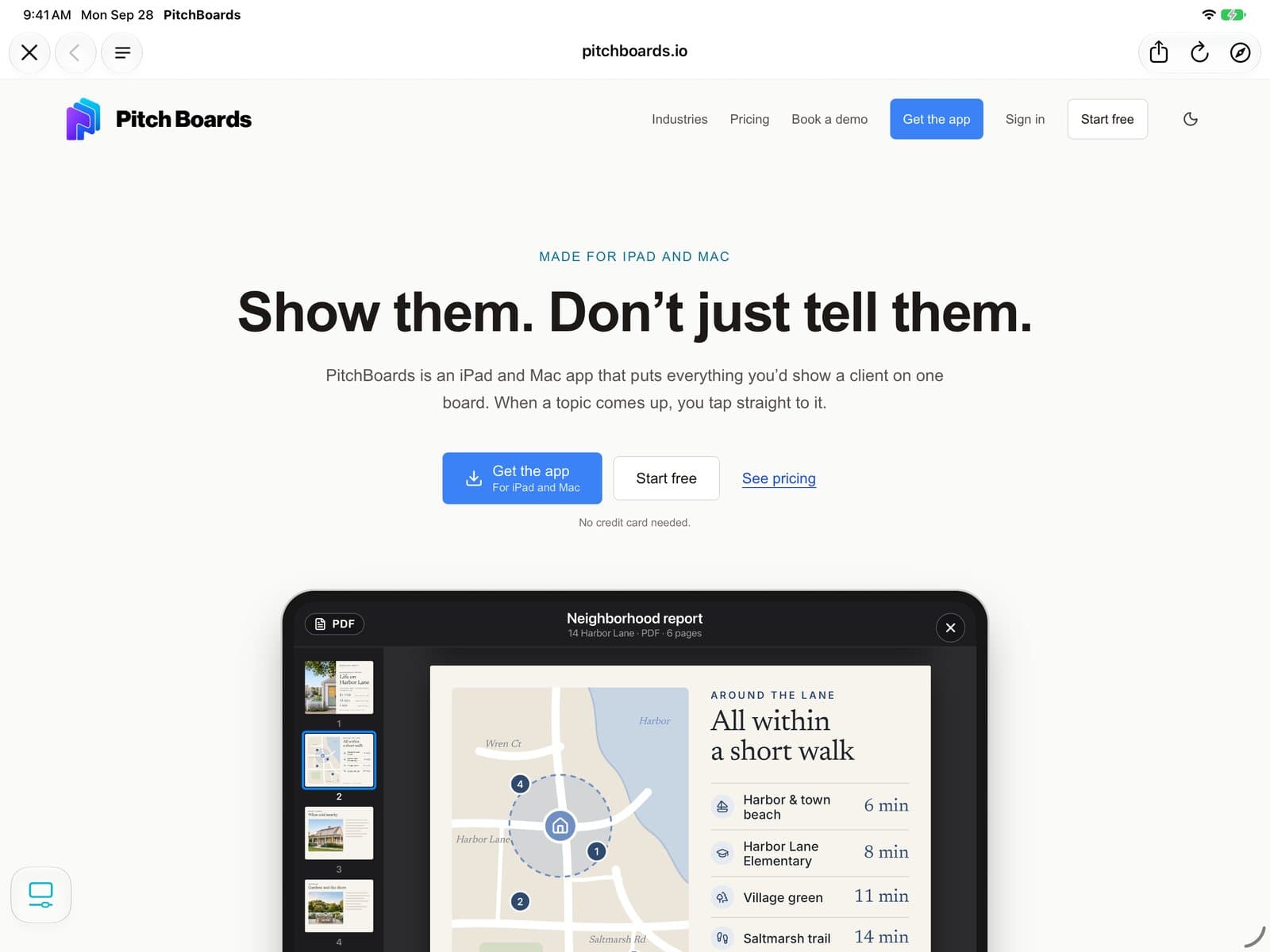
Step 3 of 3
Open it live
Tap the tile. The page opens right inside PitchBoards. Tap ✕ to go back to your board.
Good to know
Any public link works: slides, a listing page, a social post, or a 3D tour.
Pages behind a login may not open.
Websites need the internet. Offline, the tile shows a saved preview.