Build
Change how a tile looks
A tile can show what's inside it, or a design you make. In edit mode, tap ⋯, then More, Design, and Mirror Destination. The tile then shows the first photo, video, page, or site. Pick Custom Design to set your own title, background, logo, and border instead.
Updated By Isaac Stalzer
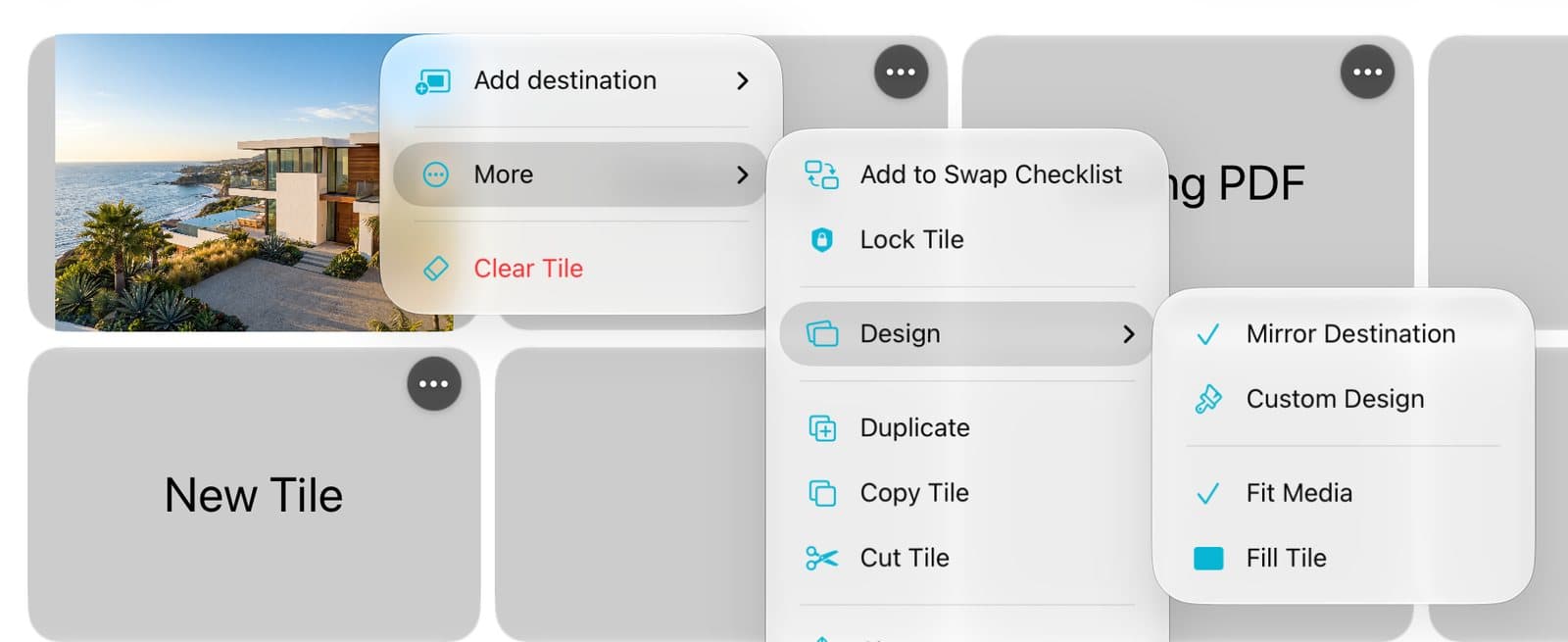
Step 1 of 5
Open Design
In edit mode, tap ⋯ on a tile. Tap More, then Design.
Step 2 of 5
Show what's inside
Tap Mirror Destination. For photos and video, pick Fill Tile to fill it, or Fit Media to show all of it.
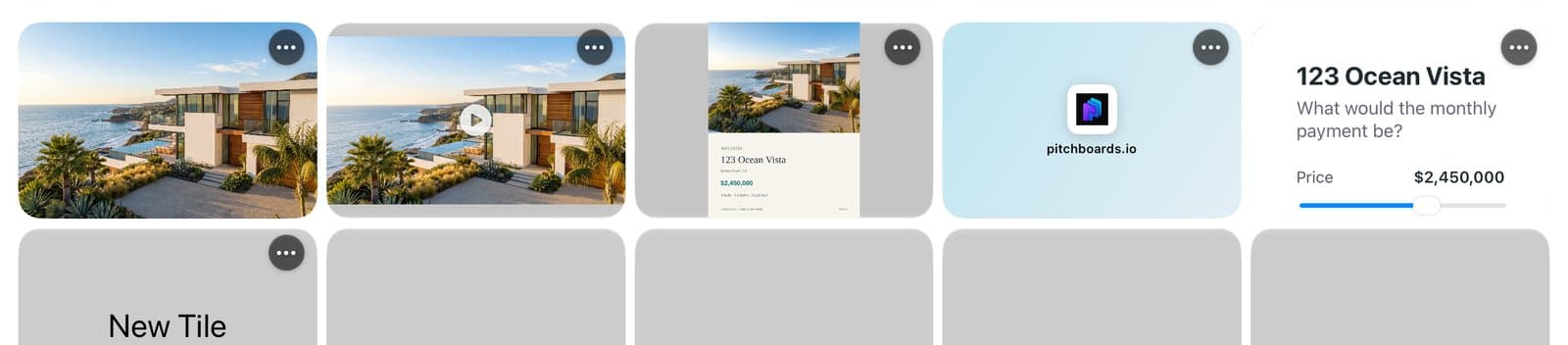
Step 3 of 5
See the difference
Each tile now shows what it opens: a photo, a video, a PDF's cover, a website, or a live widget.
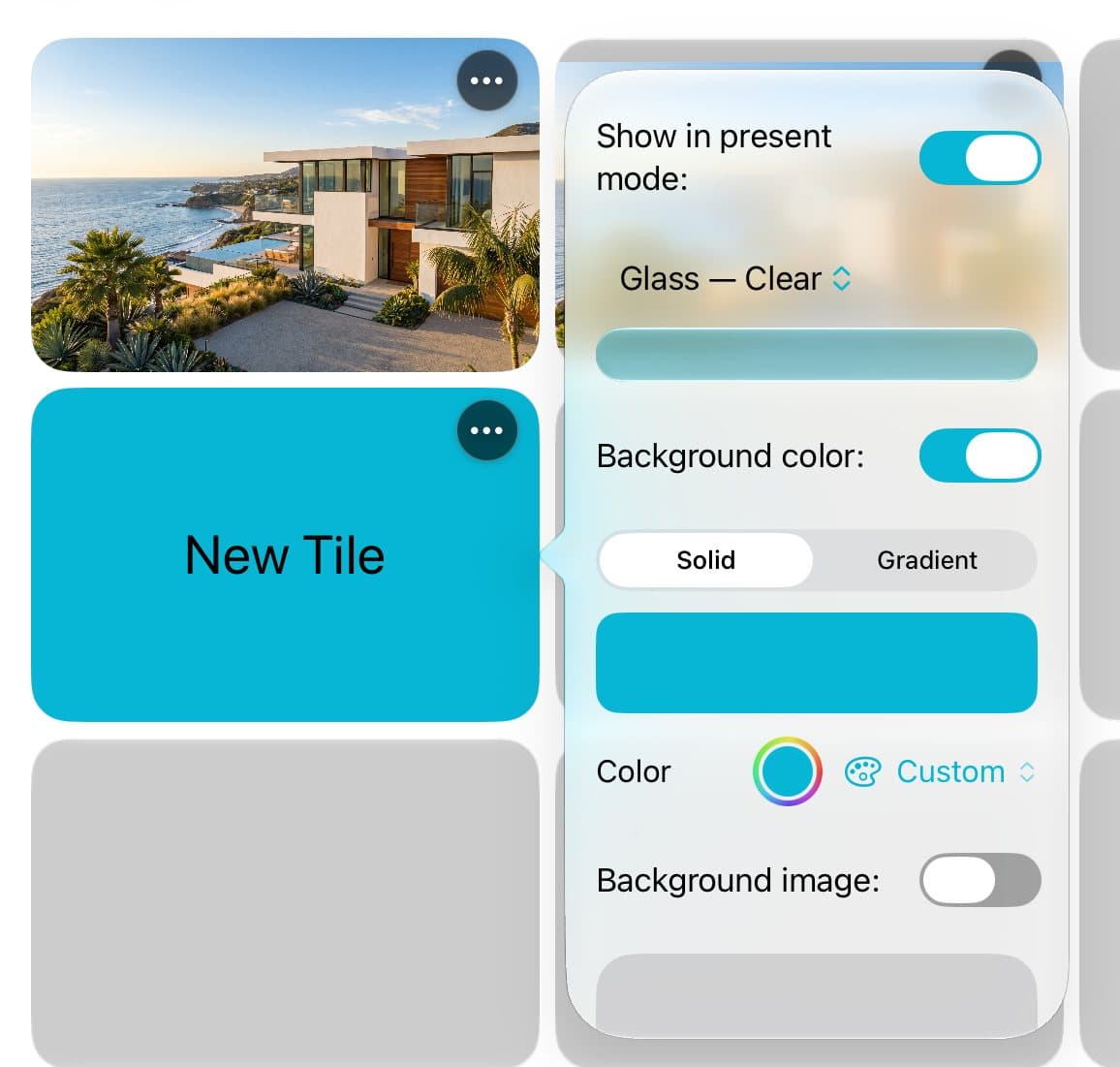
Step 4 of 5
Or design it yourself
Pick Custom Design. Then tap Background in the ⋯ menu to set a color or a picture.
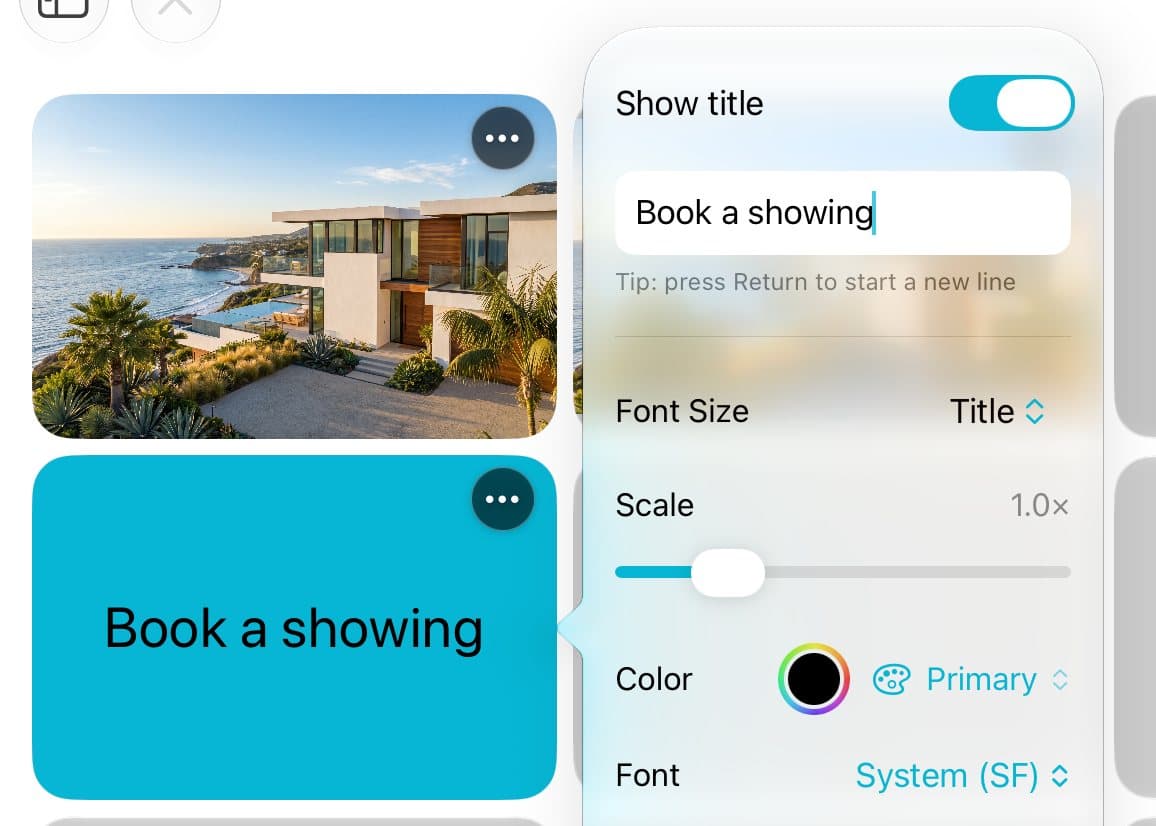
Step 5 of 5
Change the words
Tap Title, Font & Icon to type the words on the tile and pick a font.
Good to know
Want words and icons anywhere on the tile? Tap More, then Switch to Advanced Layout….
Like a look? Copy Style on one tile and paste it on another.
The styling items only show in Custom Design.