Getting started
Check if PitchBoards runs on your iPad or Mac
PitchBoards needs an iPad or iPhone on version 26 or later, or a Mac with an M1 chip or newer on macOS 26 or later. Most iPads from 2019 on can update for free, and so can every M1 or newer Mac. Check your model in Settings, then update it in Software Update.
Updated By Isaac Stalzer
Step 1 of 4
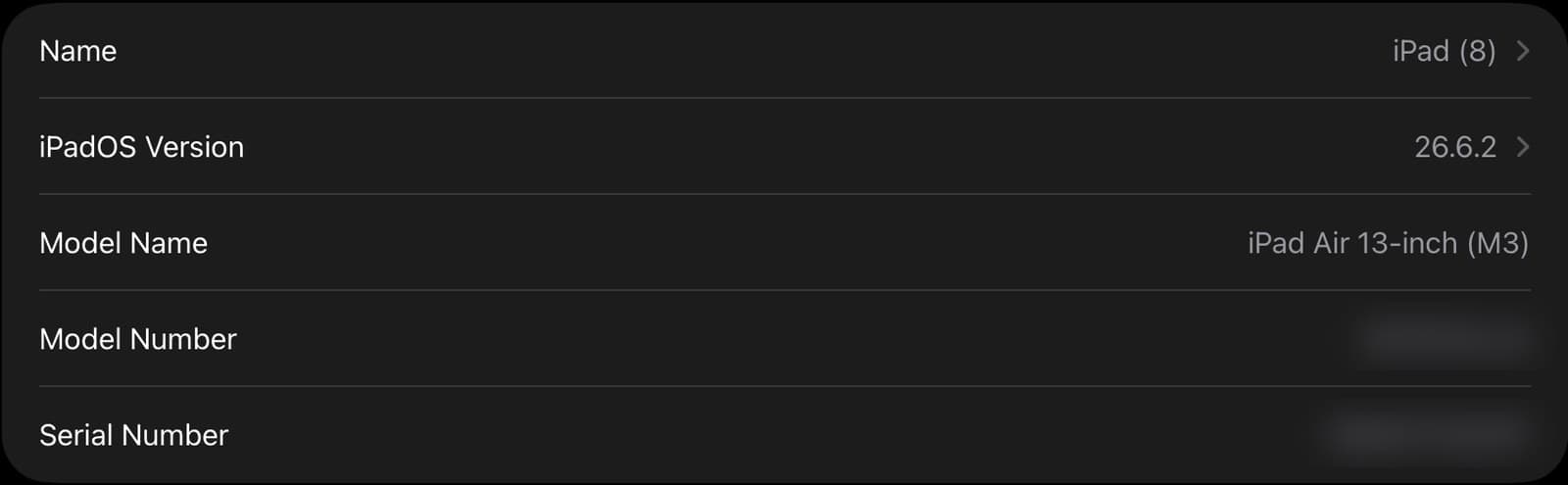
Find your iPad's model
Open Settings, tap General, then tap About. Model Name says which iPad you have. iPadOS Version says what it runs now. You need 26 or later.
Step 2 of 4
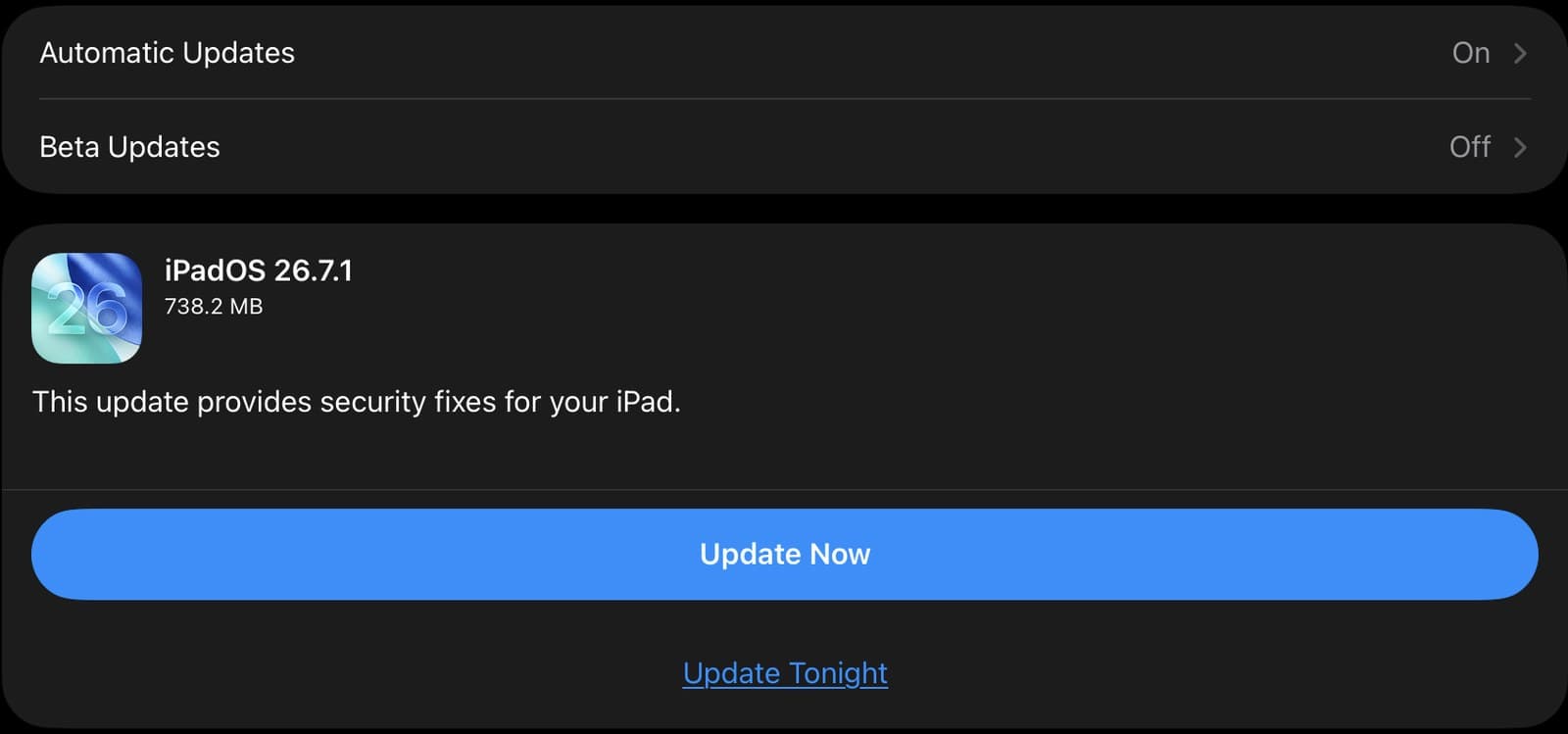
Update your iPad
Go back to General and tap Software Update. If an update is there, tap Update Now. Keep your iPad plugged in until it's done.
Step 3 of 4
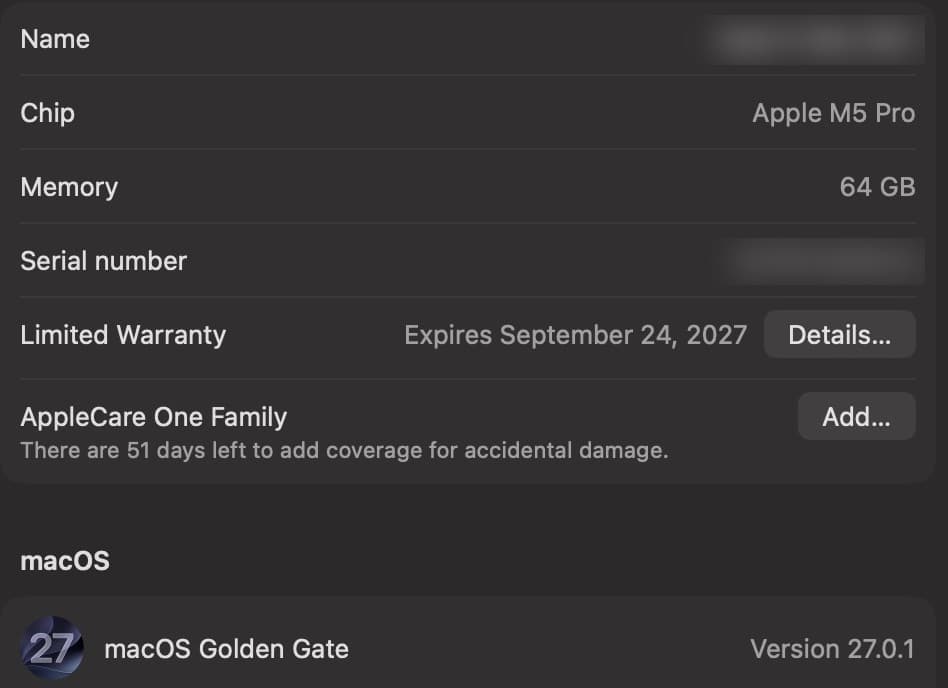
Find your Mac's chip
Open System Settings, click General, then click About. Chip should say Apple M1 or newer, like M2 or M4. Under macOS, the version should be 26 or later.
Step 4 of 4
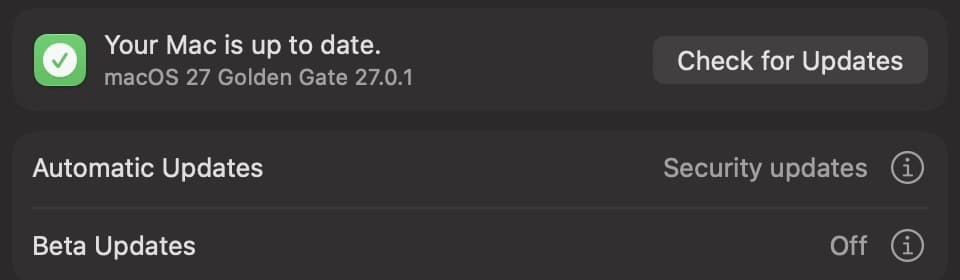
Update your Mac
Go back to General and click Software Update. If an update is there, click Update Now. If it says Your Mac is up to date, you're all set.
Good to know
iPads that work: iPad Pro 11-inch and 13-inch (all), iPad Pro 12.9-inch (3rd generation or newer), iPad Air (3rd generation or newer), iPad (8th generation or newer), and iPad mini (5th generation or newer).
iPhones that work: iPhone 11 or newer, and iPhone SE (2nd generation or newer).
Macs that work: every Mac with an M1 chip or newer, desktop or laptop. A few Intel Macs work too: MacBook Pro 16-inch (2019), MacBook Pro 13-inch (2020, four ports), iMac (2020), and Mac Pro (2019).
Too old to update? You can still open any board someone sends you in a web browser. To build and present boards, you need a device on these lists.