Your account
My boards are missing on my other device
Each way of signing in can make its own account. If your boards are missing, you most likely signed in a different way on this device. Sign out, then sign in the exact way you used before: Google, Apple, or email. Your boards come right back. Nothing was deleted.
Updated By Isaac Stalzer
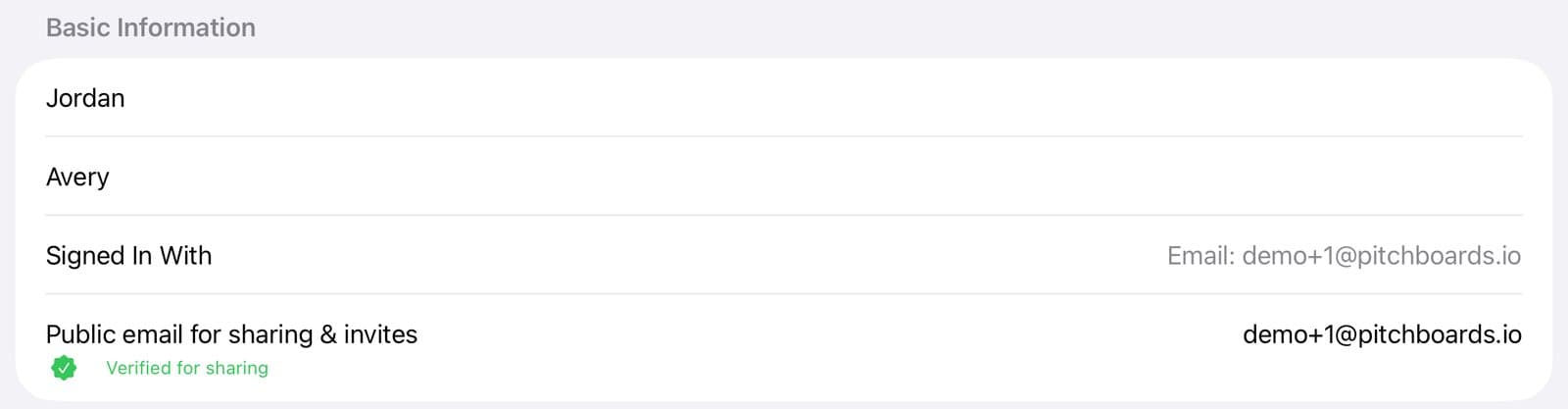
Step 1 of 3
See how you signed in here
Tap Account at the bottom of the sidebar, then Profile. Signed In With shows the way you used on this device.
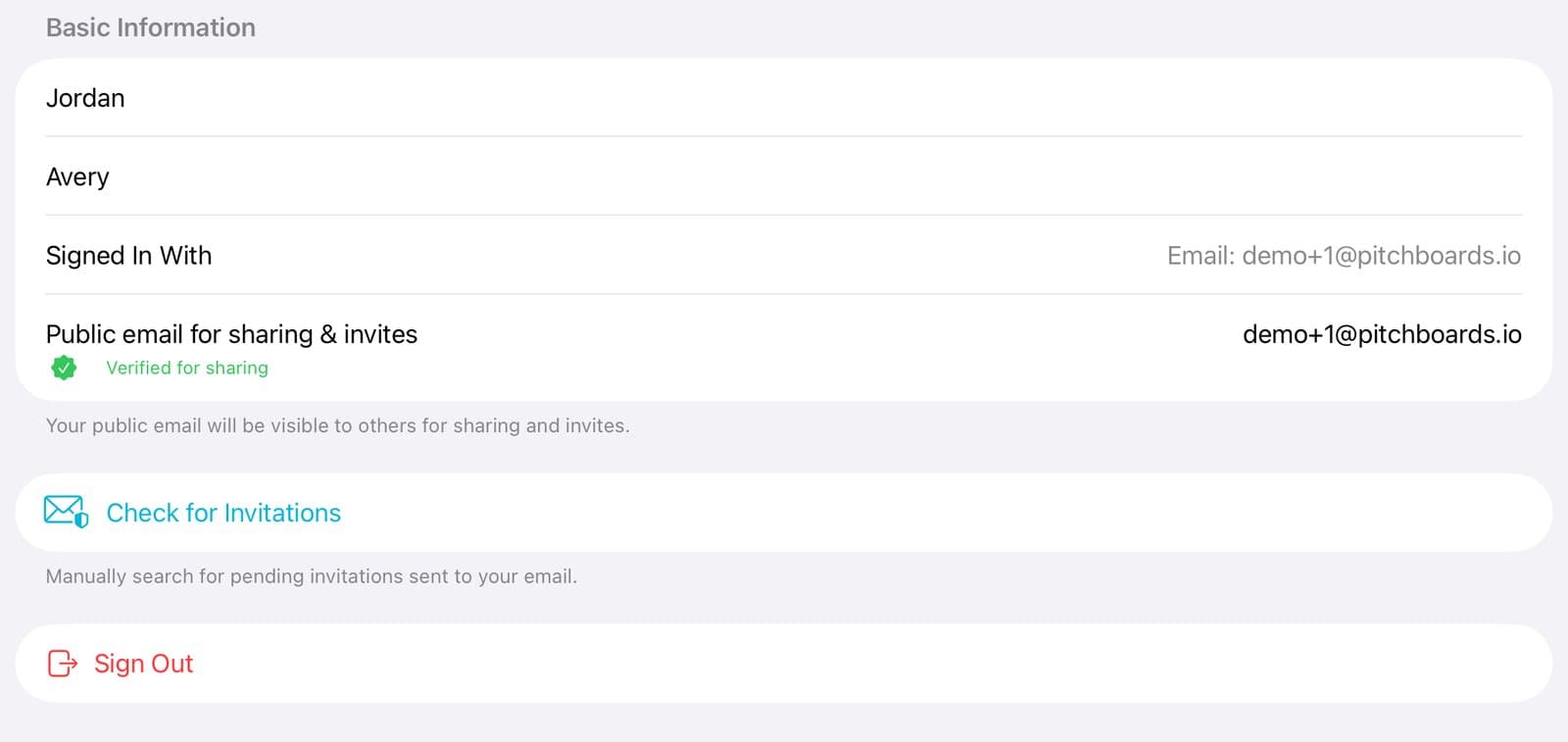
Step 2 of 3
Sign out
If it's not the way you use on your other device, tap Sign Out.
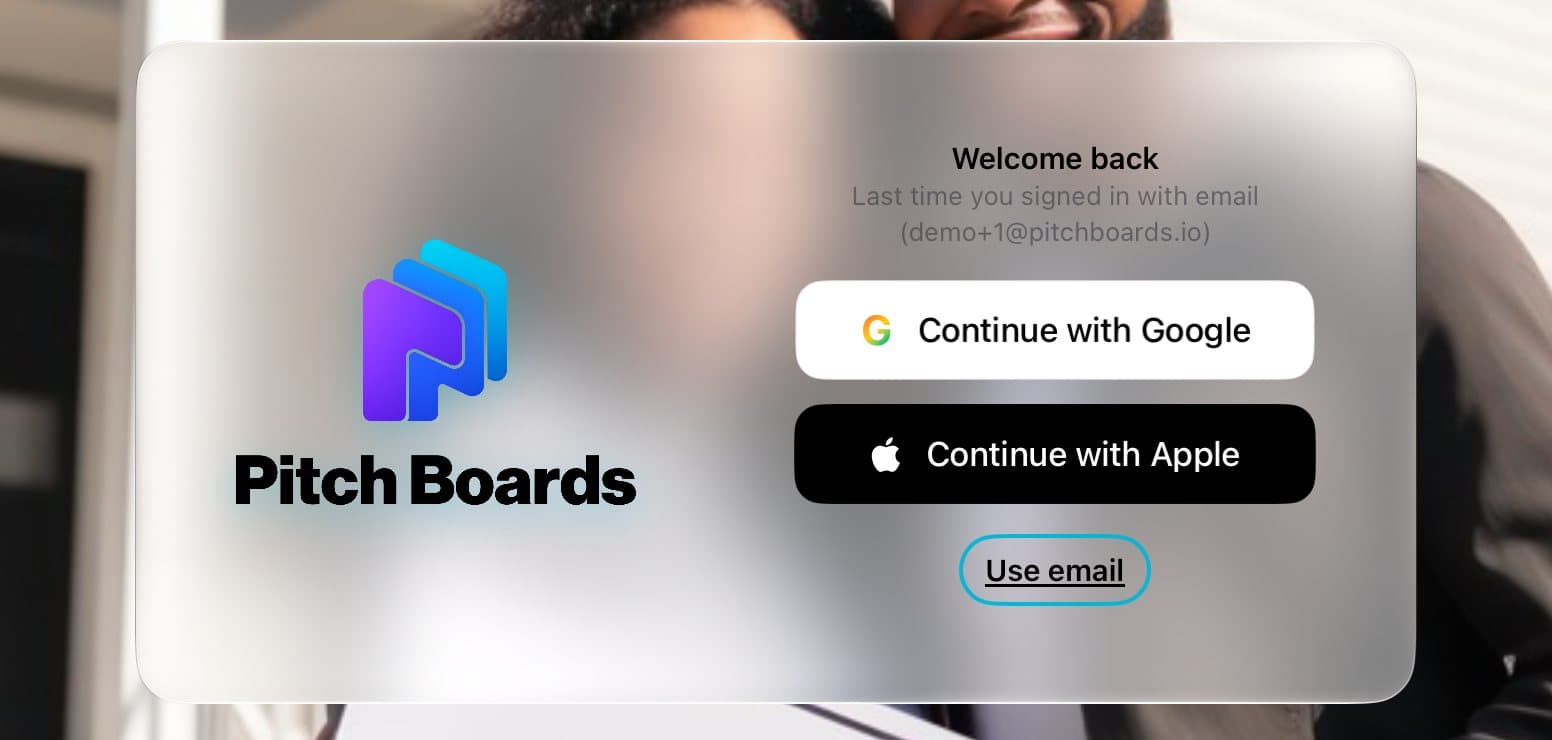
Step 3 of 3
Sign in the way it shows
Look under Welcome back. It says how you signed in last time. Tap that way, and your boards will be there.
Good to know
If PitchBoards says Signed in to a different account, tap Switch Account. Then sign in the way it names.
Chose Hide My Email with Apple? Pick Apple again. Google won't find that account.
PitchBoards can't join two accounts into one. Pick the one with your boards and keep using it.