Your account
Can I change my email?
Not the email you sign in with. That one stays the same, because it's how PitchBoards knows it's you. You can change your name, and you can change the email other people use to share boards with you. Both are in Account, then Profile.
Updated By Isaac Stalzer

Step 1 of 5
Open Account
Open the sidebar and tap Account at the very bottom.
Step 2 of 5
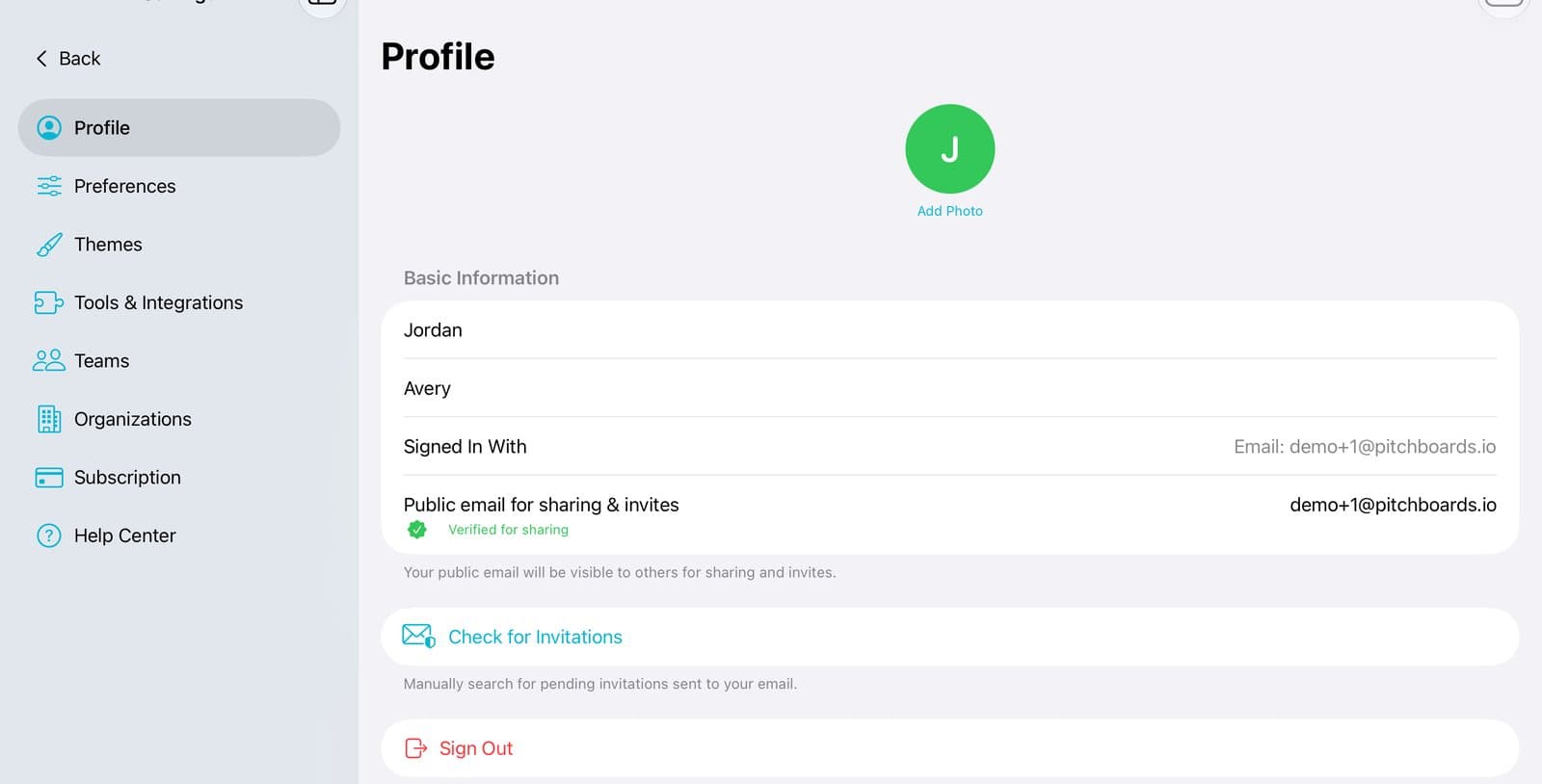
Tap Profile
Your Profile page opens.
Step 3 of 5
Change your name
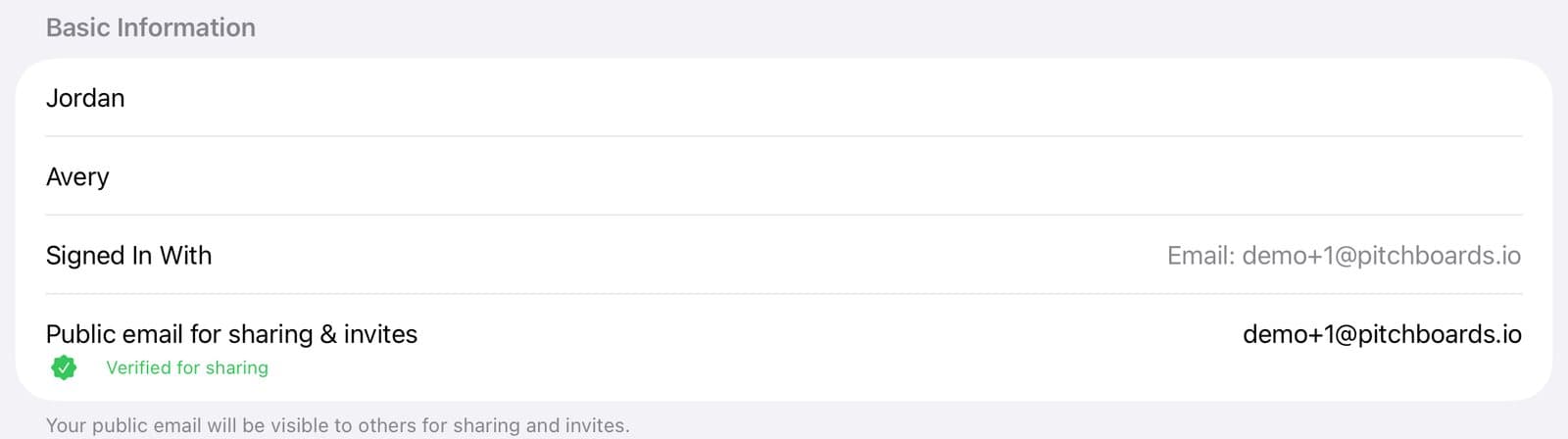
Tap your first or last name to change it.
Step 4 of 5
This email can't change
Signed In With is the email you sign in with. It stays the same.
Step 5 of 5
Change your sharing email
Public email for sharing & invites is the email people use to share with you. Tap it to change it. We send a code to check it's yours.
Good to know
Signing in a new way makes a new, empty account. Your boards stay in the old one.
Need your sign-in email changed? Write to us from Help Center → Email Support.