Team
Invite agents with your office code
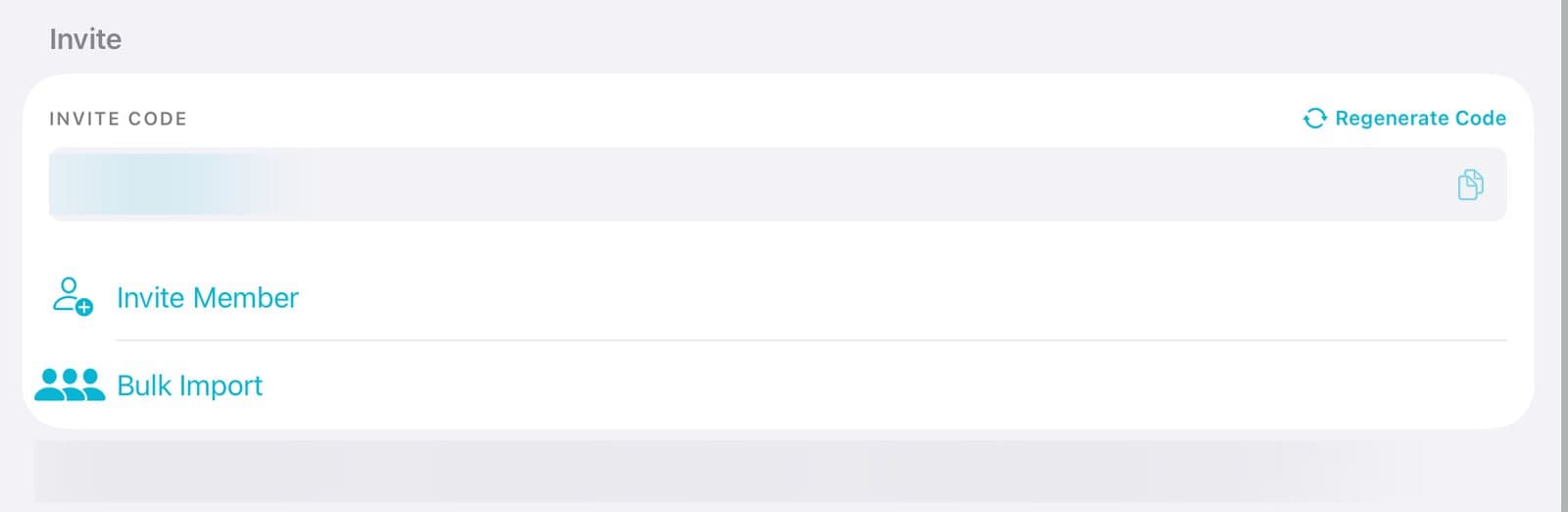
Admins can invite agents with one code. Tap Account, then Organizations, then your organization. Under Invite, tap the code to copy it and send it to your agents. They enter it under Join Organization and tap Join. If the code gets out, tap Regenerate Code to make a new one.
Organization plansUpdated By Isaac Stalzer

Step 1 of 4
Open your organization
Tap Account, then Organizations. Tap your organization's name.
Step 2 of 4
Copy the code
Under Invite, tap the code to copy it. Send it to your agents by text or email.

Step 3 of 4
They join
They tap Account, then Organizations. They type the code under Join Organization and tap Join.
Step 4 of 4
Need a new code?
Tap Regenerate Code. The old code stops working for new people. Everyone already in stays.
Good to know
People who join with a code start as Viewers. Change their role any time.
If your organization has no free seats, the owner is told so they can add one.