Your account
Upgrade to Solo
Solo is the plan for one person. You buy it inside the app, and Apple bills you. Go to Account, then Subscription, and tap Upgrade to Solo. Pick monthly or yearly, then tap Subscribe. Every locked board unlocks right away, and you can make as many boards as you like.
Updated By Isaac Stalzer
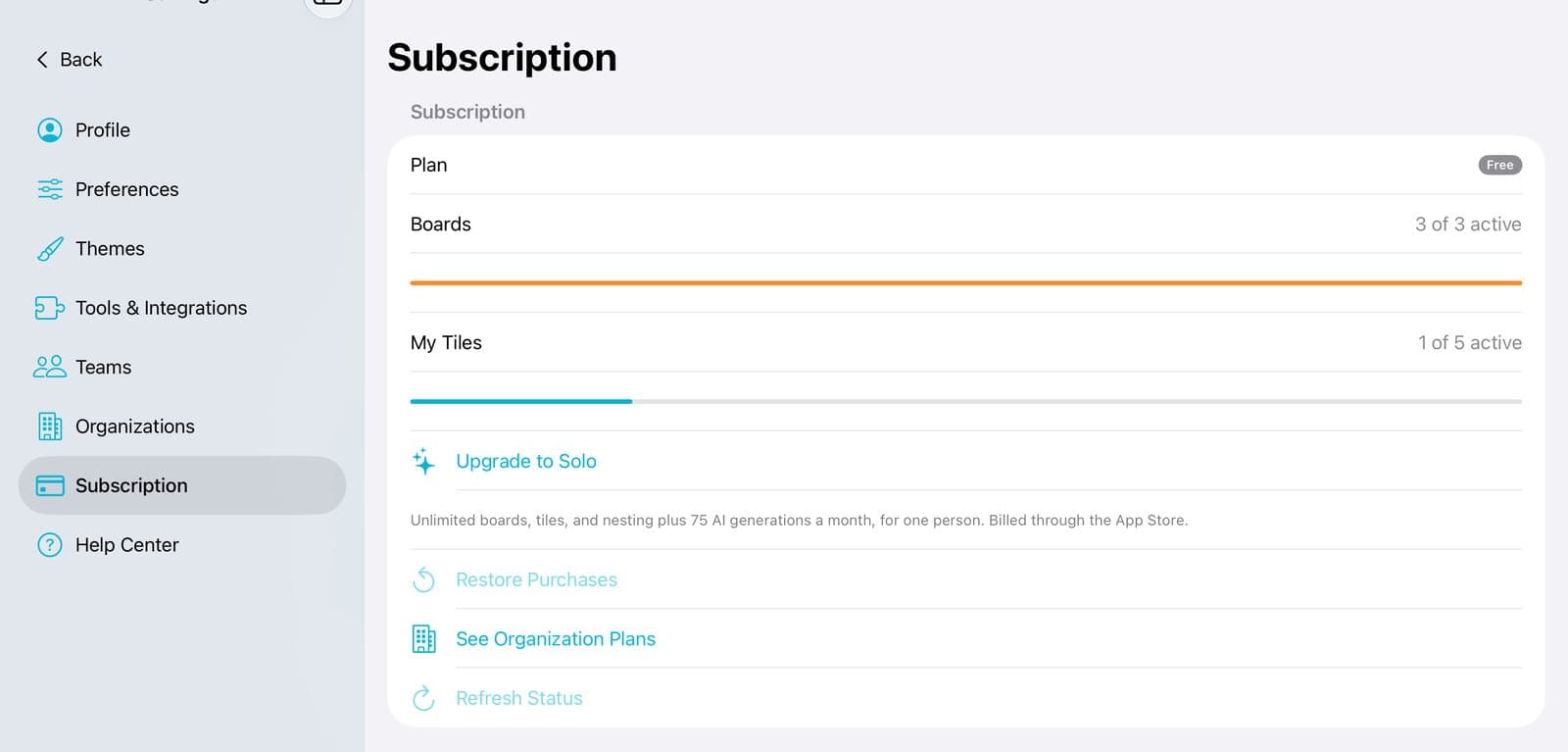
Step 1 of 4
Open Subscription
Tap Account at the bottom of the sidebar. Then tap Subscription.
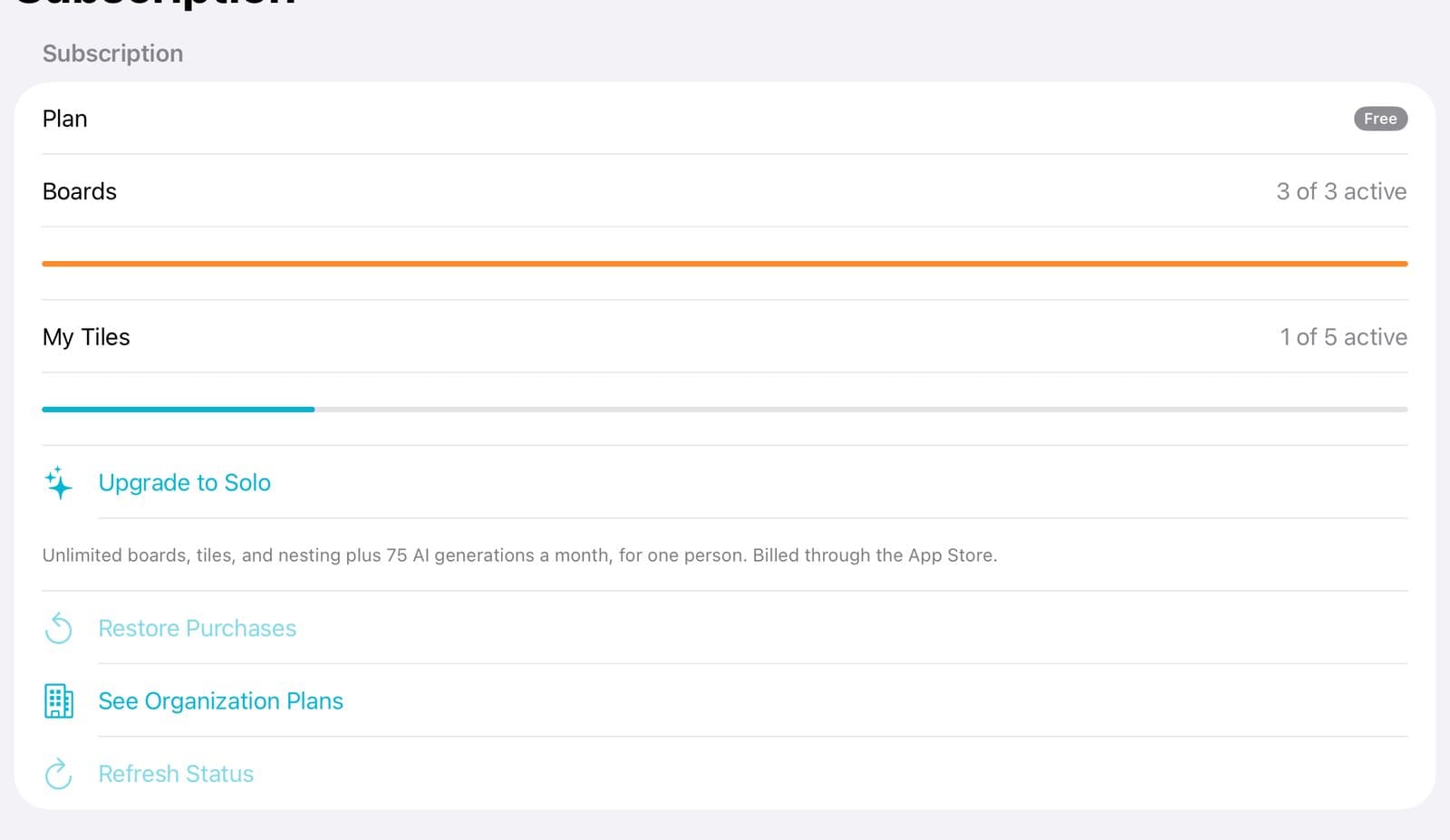
Step 2 of 4
Tap Upgrade to Solo
You can see how many boards you're using. Tap Upgrade to Solo.
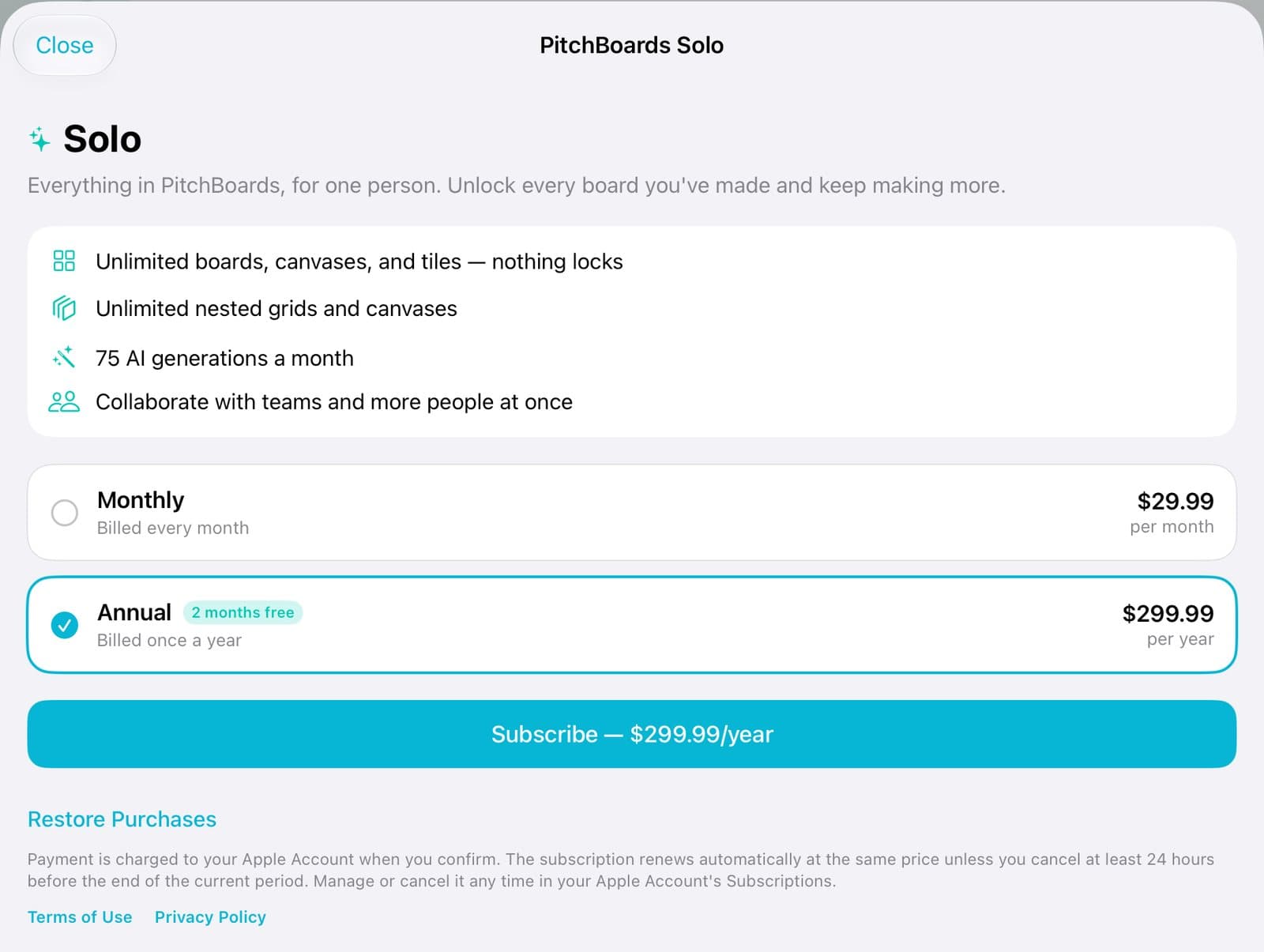
Step 3 of 4
Pick monthly or yearly
Tap Monthly or Annual. Annual gives you 2 months free.
Step 4 of 4
Tap Subscribe
Tap Subscribe and confirm with Apple. You'll see You're on Solo.
Good to know
Bought Solo before, or on another device? Tap Restore Purchases.
To cancel, open your Apple Account's Subscriptions in the Settings app.
Working with a team? An organization plan covers everyone. It's bought on our website.