Your account
Why does my board have a lock?
The free plan keeps your 3 newest boards open. Older boards get a lock, but nothing is deleted. To open them again, upgrade to Solo, join your office's plan with a code, or delete a board you don't need. Then the next newest board unlocks.
Updated By Isaac Stalzer

Step 1 of 4
A lock means it's resting
A board with a lock is still there. It just can't open right now.
Step 2 of 4
Tap it to see your choices
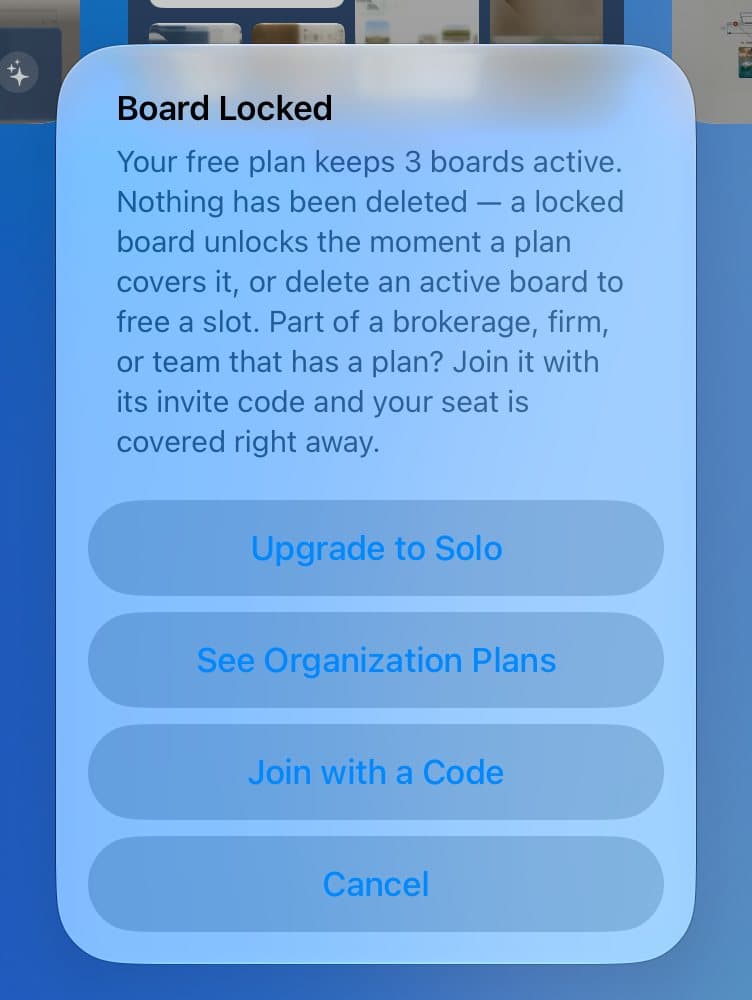
You'll see Board Locked. Tap Upgrade to Solo, See Organization Plans, or Join with a Code.
Step 3 of 4
Or free up a spot
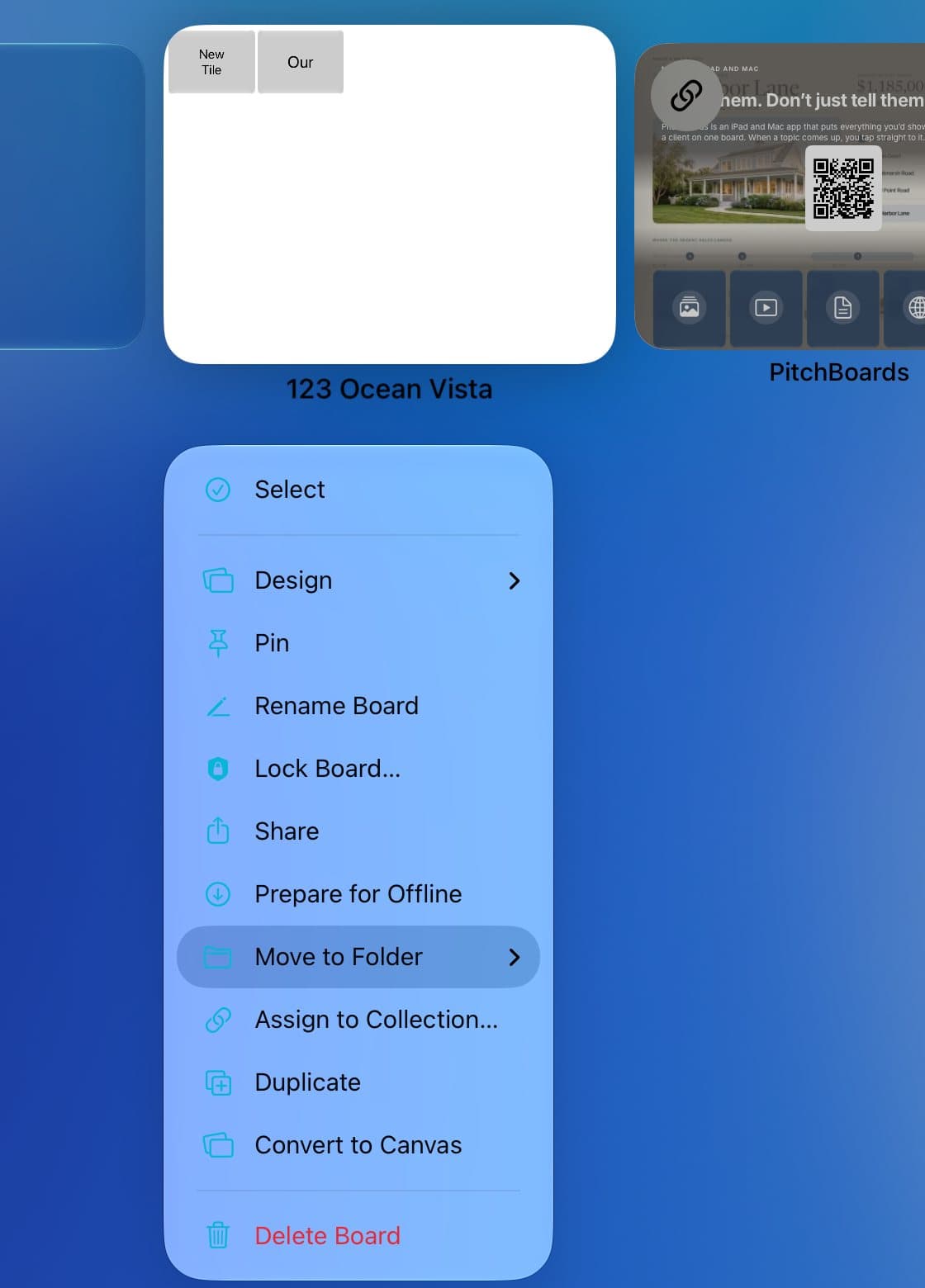
Press and hold a board you don't need. Tap Delete Board. The next newest board unlocks.
Step 4 of 4
We warn you first
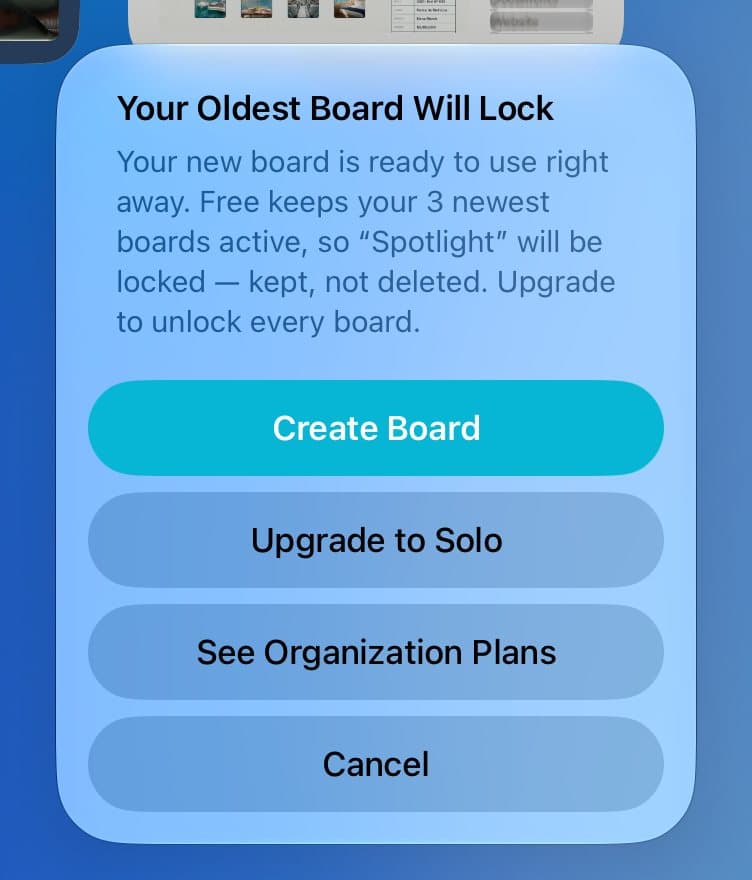
When a new board would lock an old one, PitchBoards tells you which one first.
Good to know
The boards you changed most recently stay open.
Deleted boards wait in Trash, and boards in Trash don't count.