Build
Put a board inside a tile
A tile can open a whole board inside your board. In edit mode, tap ⋯ on the tile, then Add destination and Sub-Board. Pick Grid or Canvas for a new board, or Browse Library to use one you already have. Link it to stay in sync with the original, or copy it to make a separate one.
Updated By Isaac Stalzer
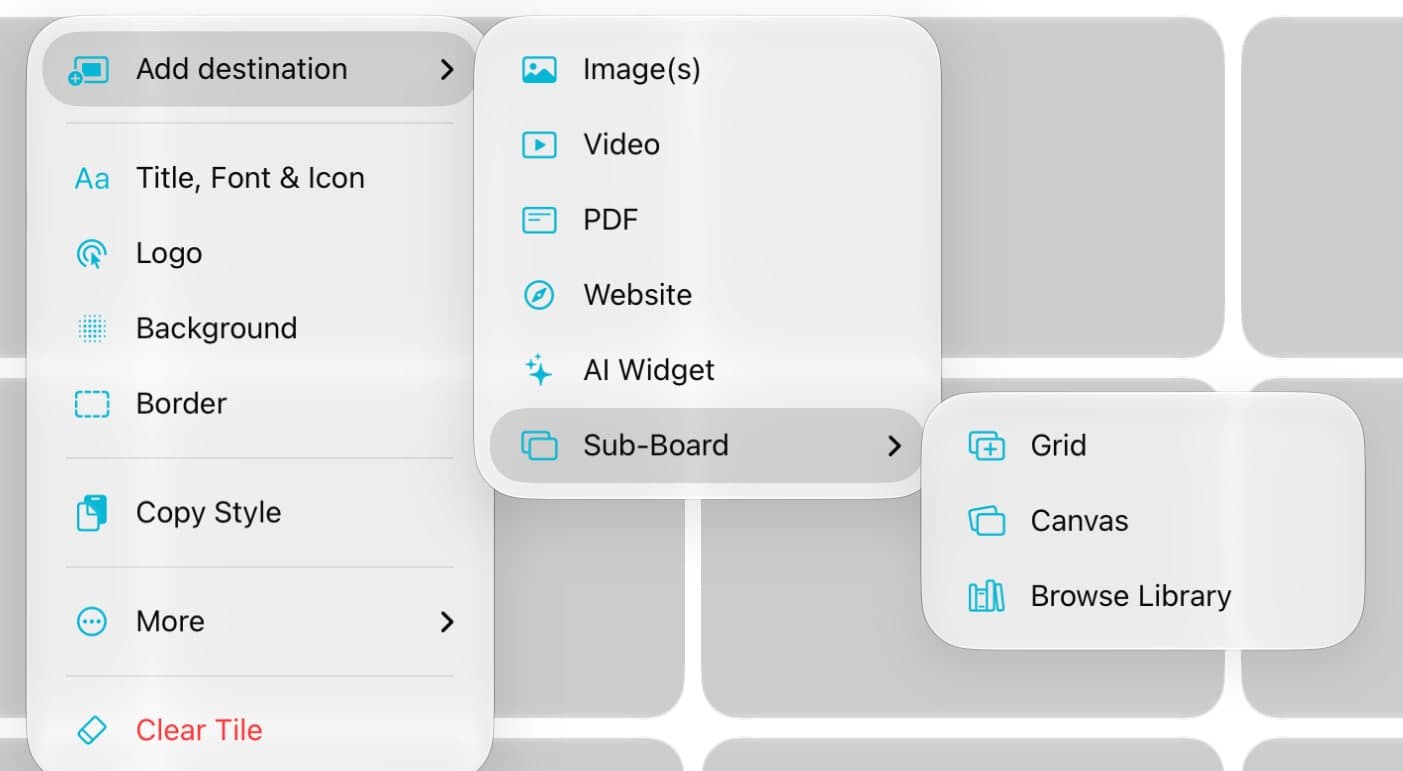
Step 1 of 4
Open Sub-Board
In edit mode, tap ⋯ on a tile. Tap Add destination, then Sub-Board.
Step 2 of 4
Start a new one
Tap Grid or Canvas. A new, empty board opens inside the tile.
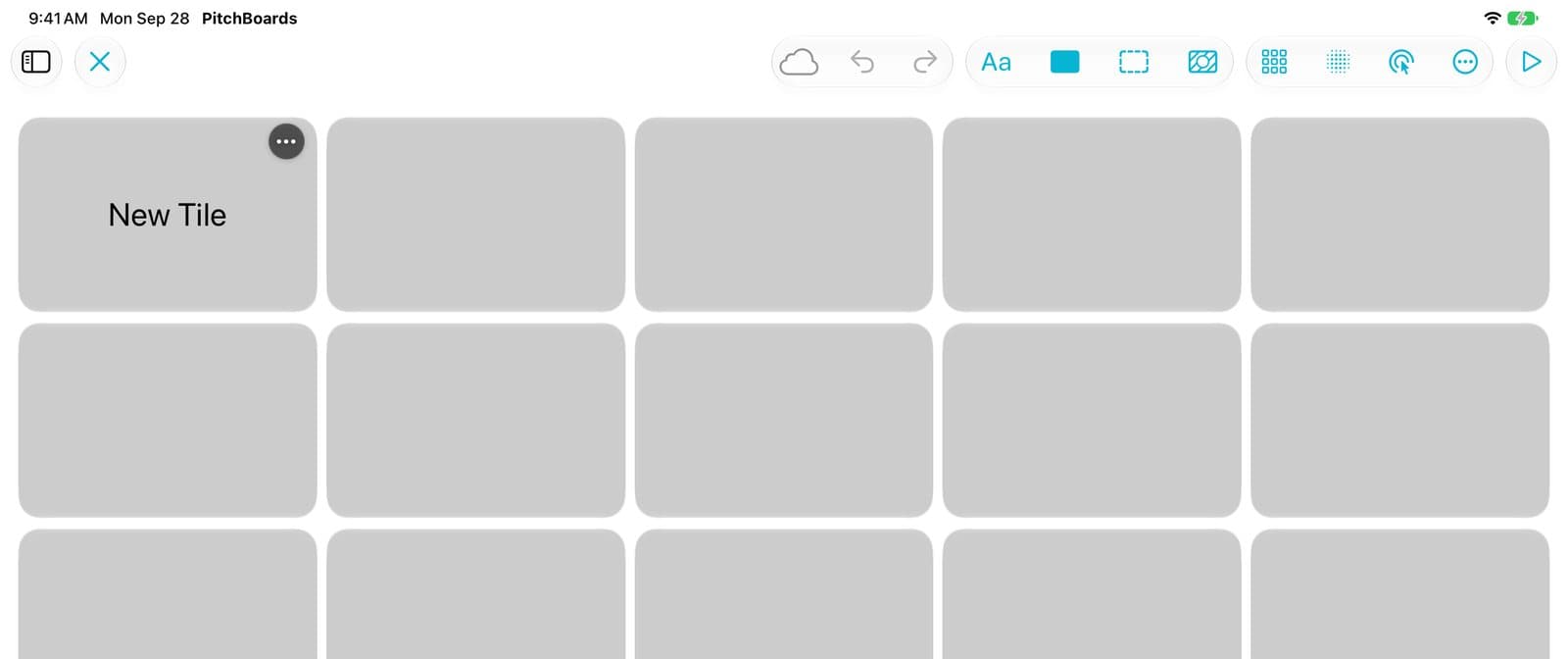
Step 3 of 4
Fill it in
Add tiles the same way you do on any board. Tap ✕ to go back up.
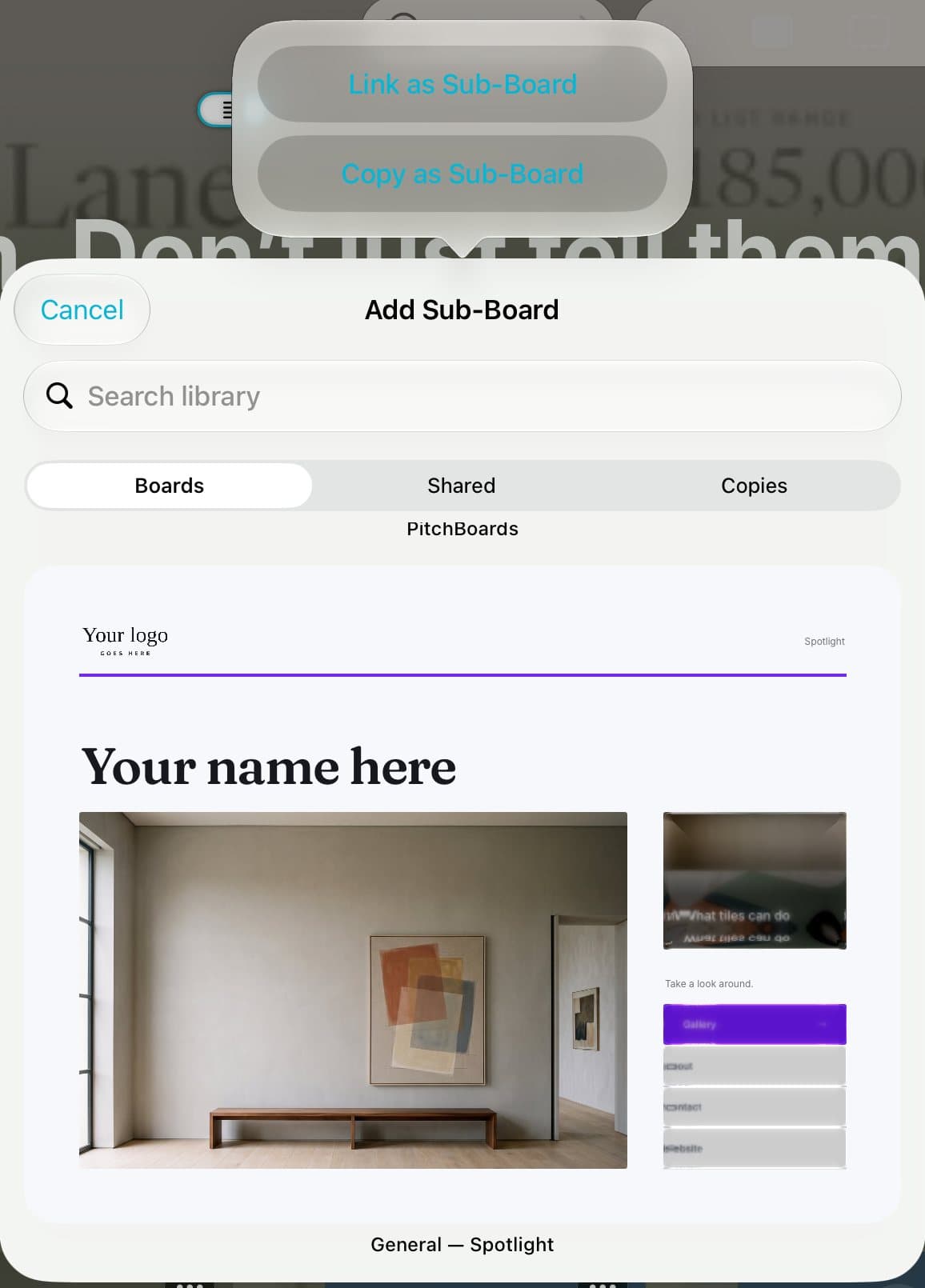
Step 4 of 4
Or use a board you have
Tap Browse Library instead and pick a board. Tap Link as Sub-Board to keep it in sync. Tap Copy as Sub-Board for a separate copy.
Good to know
The Free plan has a limit on boards inside boards. Paid plans don't.
A linked board changes everywhere when you edit it.
Sub-boards can hold their own sub-boards.