Team
Give every agent your office's brand
Make one Organization Theme and share it, so every agent builds on the same logo, colors, and fonts. Tap Account, then Themes, then New Theme and Organization Theme. Name it and add your logos, colors, and fonts. Under Sharing, set Shared with to your organization, and tap Save.
Organization plansUpdated By Isaac Stalzer
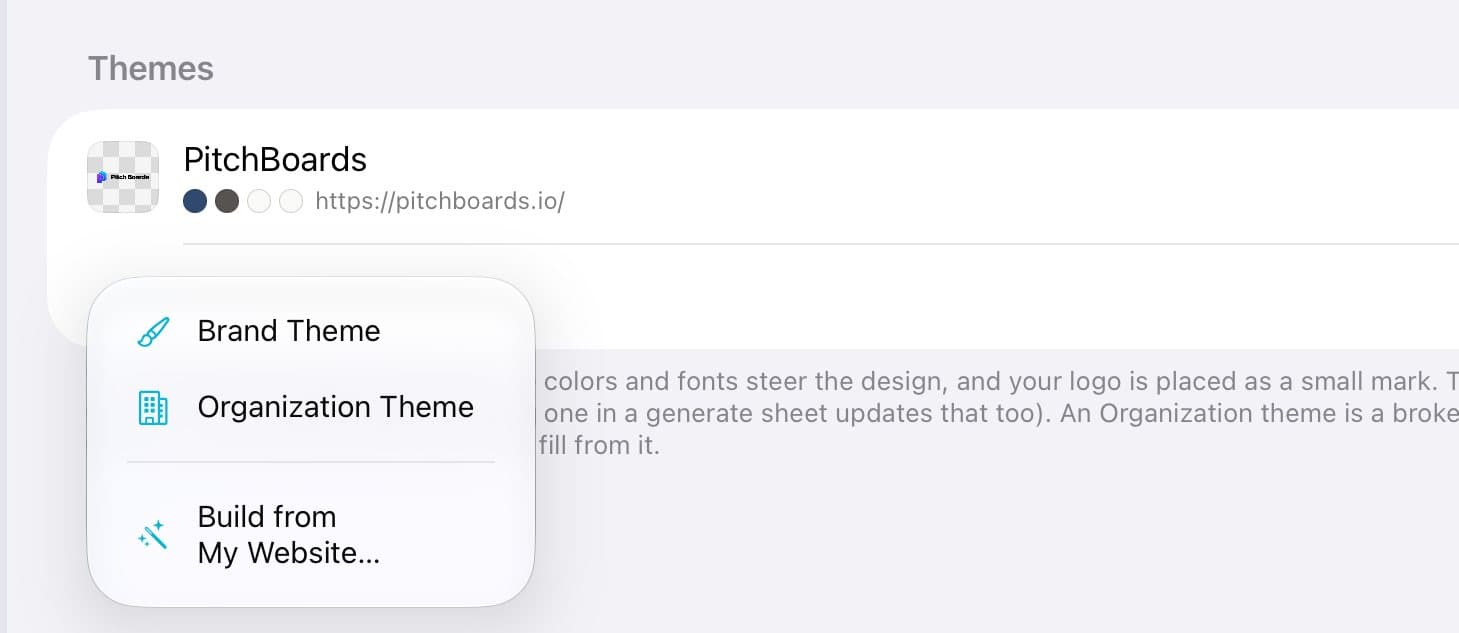
Step 1 of 3
Start an Organization Theme
Tap Account, then Themes. Tap New Theme, then Organization Theme.
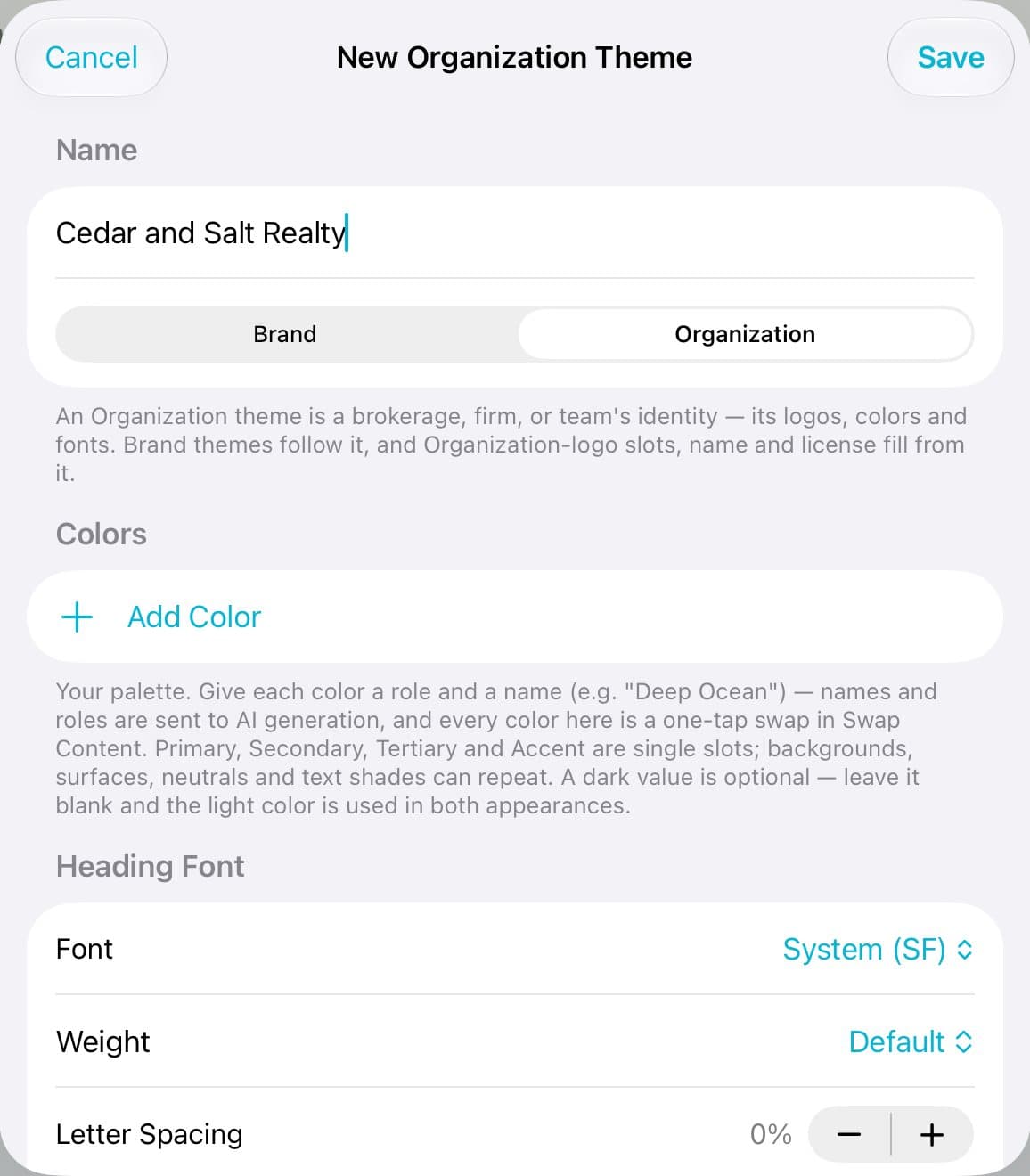
Step 2 of 3
Name it
Type your office's name. Then add your logos, colors, and fonts below.
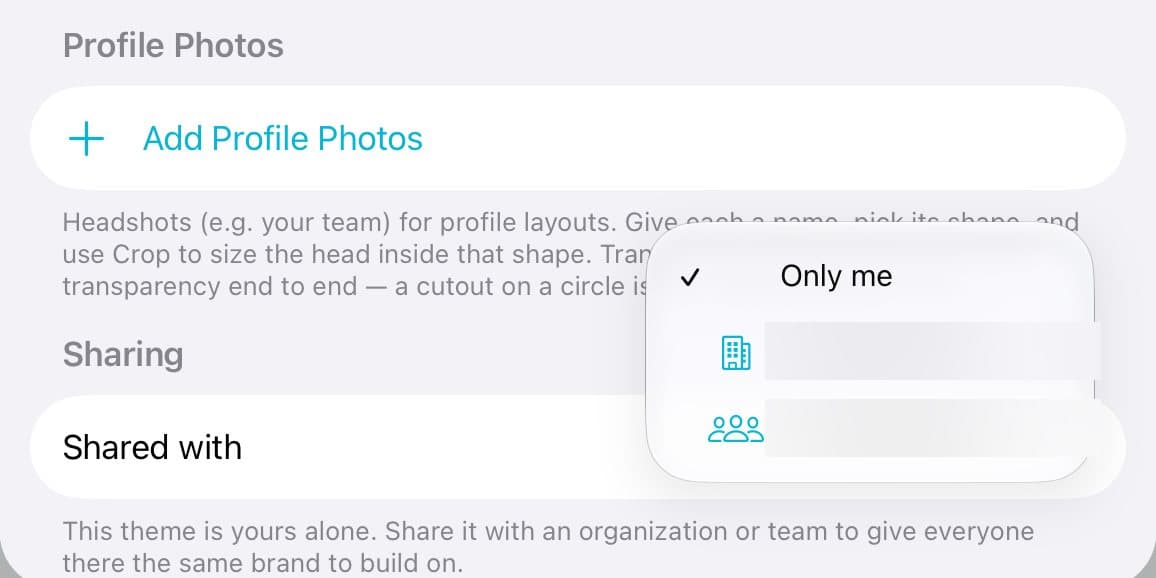
Step 3 of 3
Share it with the office
Scroll to Sharing. Set Shared with to your organization. Tap Save.
Good to know
Sharing moves the theme to the organization. Duplicate it first if you want a private copy too.
Agents see it under the organization's name in Themes and tap Apply to My Boards….
Only owners and admins can change an organization's theme.