Your account
Sign out or delete your account
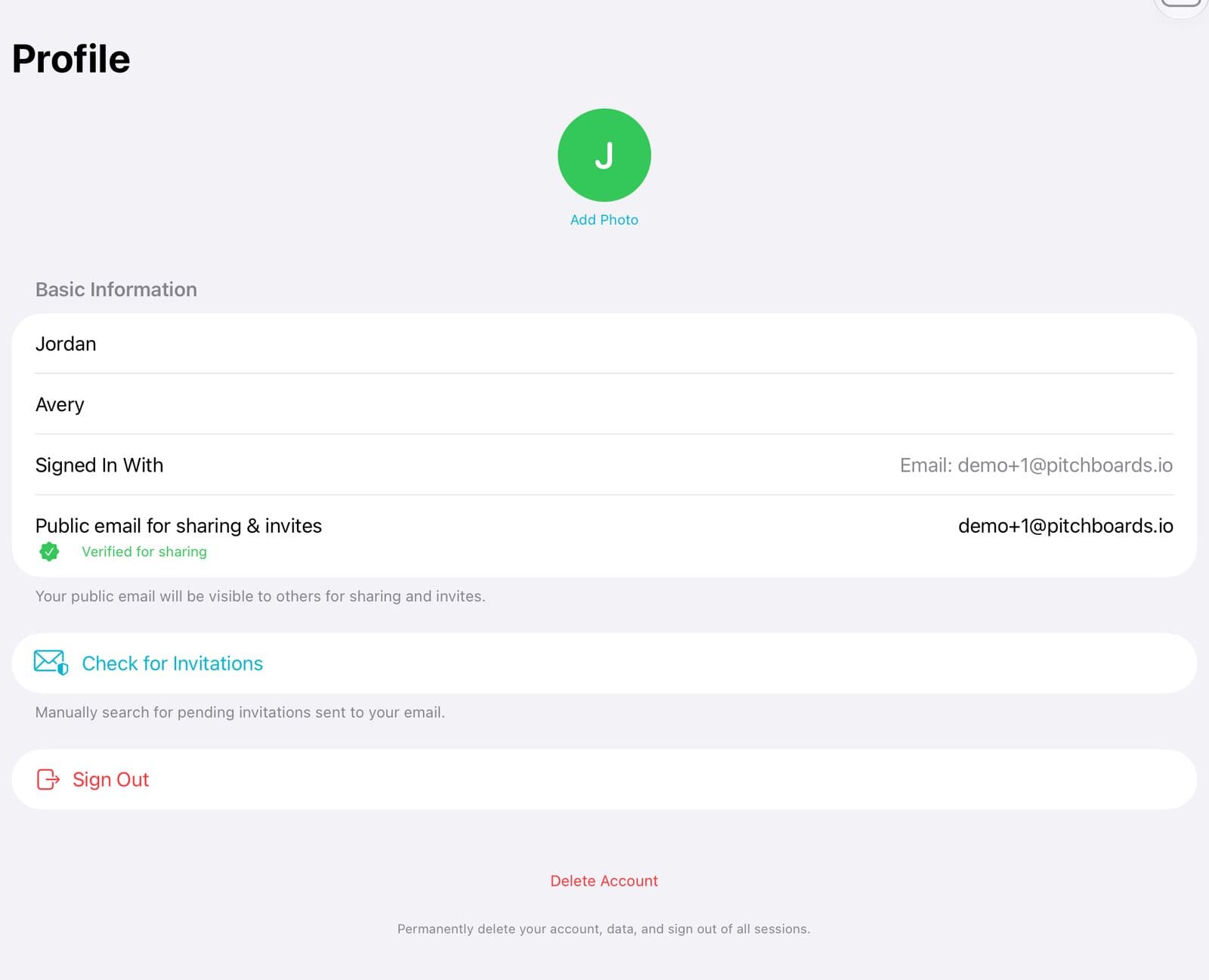
To sign out, go to Account, then Profile, and tap Sign Out. To delete your account, tap Delete Account at the bottom of the same page. Deleting erases your private boards for good. If you pay for Solo, cancel it in your Apple Account first. Deleting the account doesn't stop the charge.
Updated By Isaac Stalzer
Step 1 of 4
Sign out
In Account → Profile, tap Sign Out. Your boards stay safe in your account.
Step 2 of 4
To delete, tap Delete Account
Delete Account is at the very bottom of the page.
Step 3 of 4
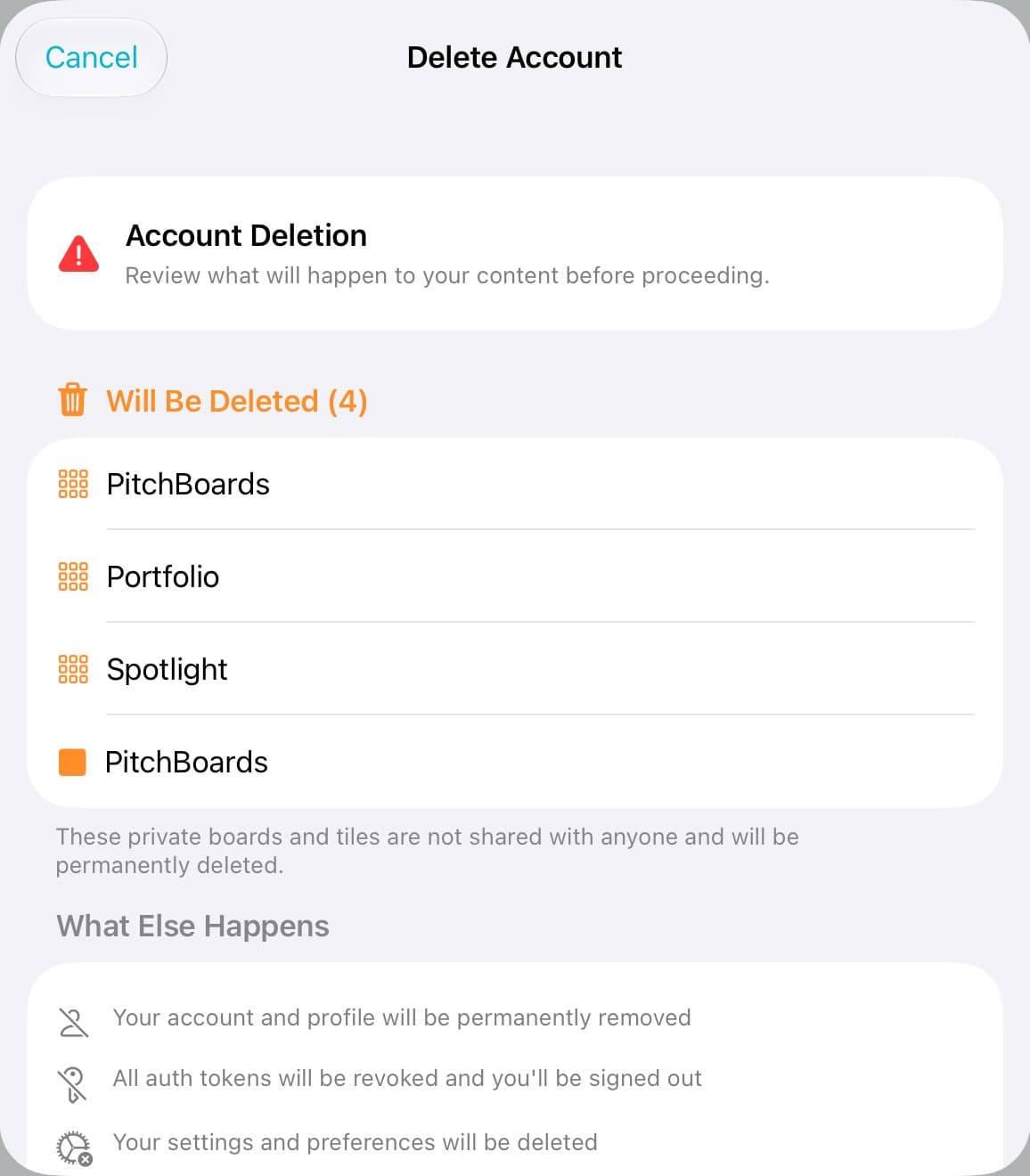
Check what will happen
PitchBoards lists your boards. Boards you share go to a teammate. Private boards are deleted.
Step 4 of 4
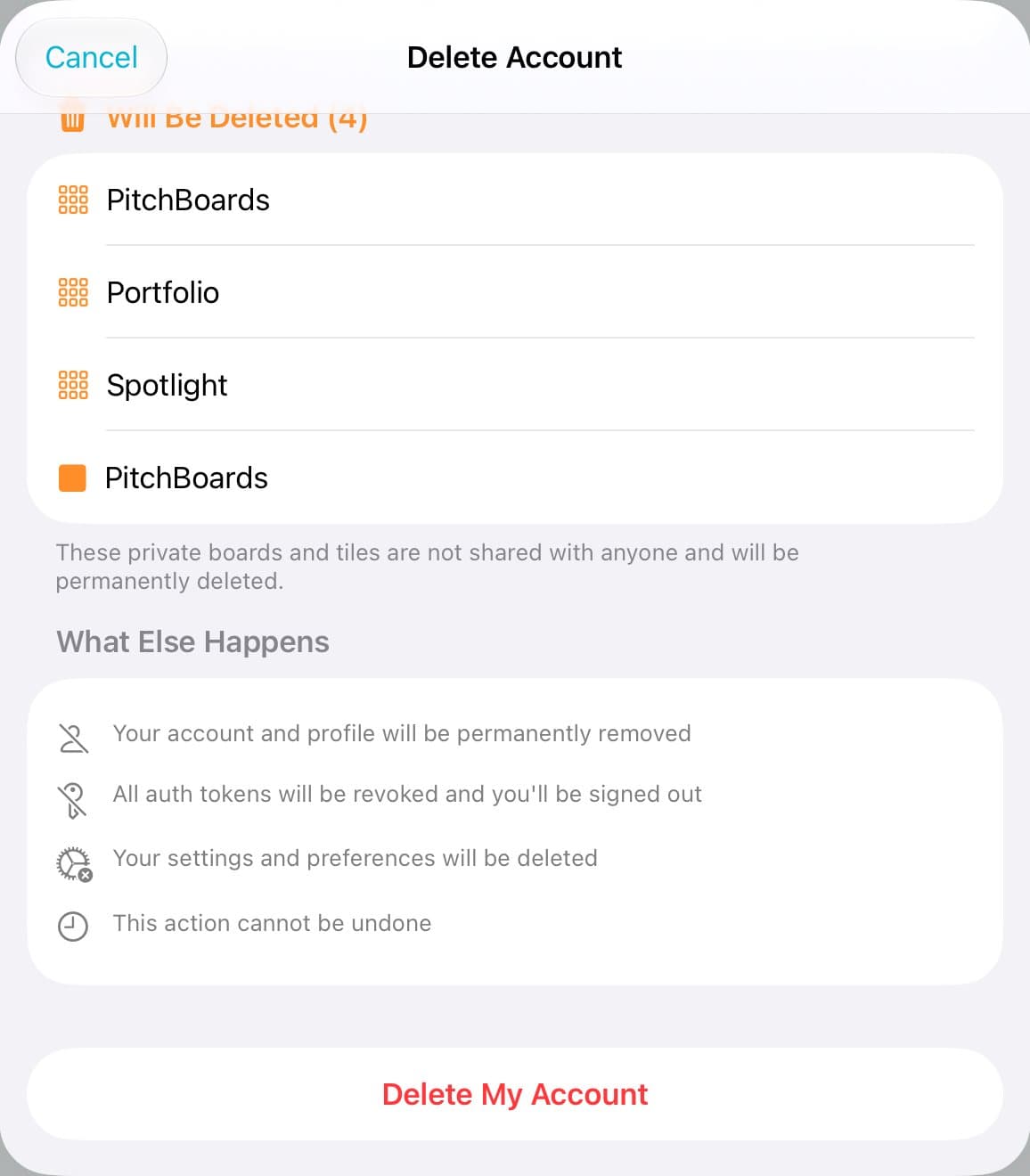
Tap Delete My Account
Tap Delete My Account. Type DELETE to be sure. This can't be undone.
Good to know
Cancel Solo first. Open the Settings app, tap your name, then Subscriptions.
Sign out happens right away. There's no pop-up asking if you're sure.