Share
Work on a board together
Collaborate shares a board live, so the other person sees your changes as you make them. Press and hold the board, tap Share, then Collaborate. Type their email, pick Viewer or Editor, and tap Collaborate. They find it under Shared. You can change their role or remove them anytime.
Updated By Isaac Stalzer
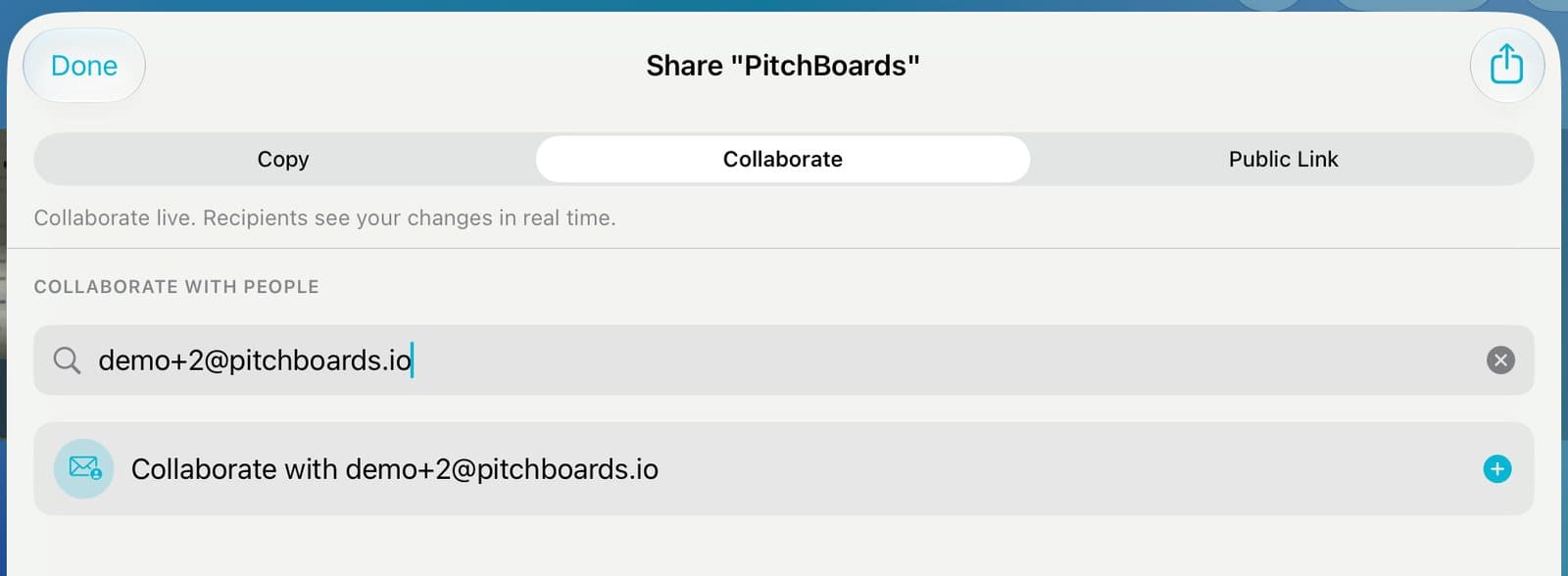
Step 1 of 4
Open Collaborate
Press and hold the board and tap Share. Tap Collaborate. Type their email and tap the row.
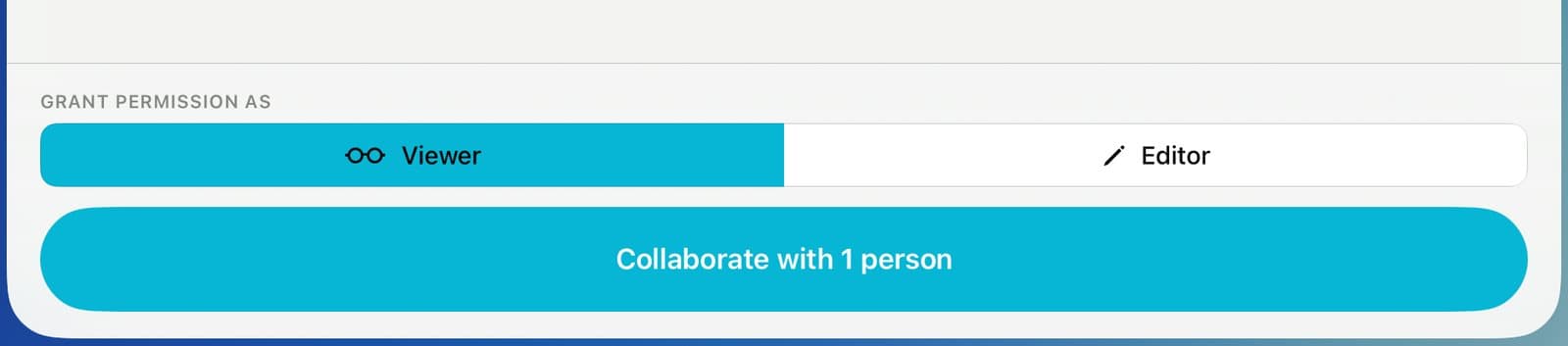
Step 2 of 4
Pick what they can do
Pick Viewer to let them look, or Editor to let them change it. Tap Collaborate.
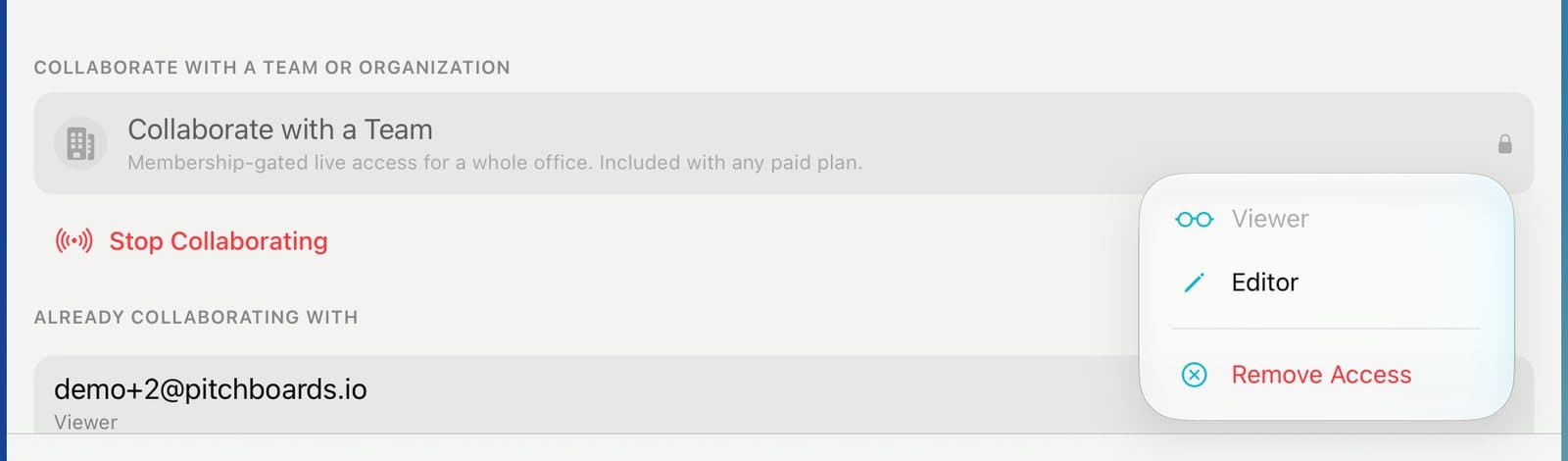
Step 3 of 4
Change it later
They're under Already Collaborating With. Tap ⋯ to change their role or tap Remove Access.
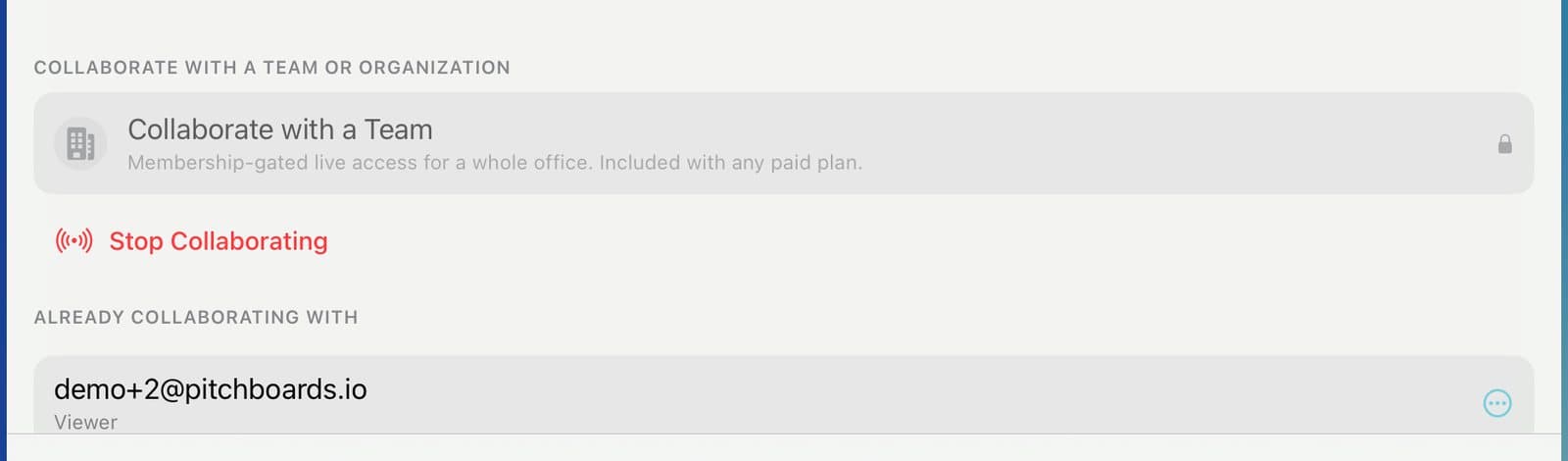
Step 4 of 4
Stop sharing
To end it for everyone, tap Stop Collaborating.
Good to know
The Free plan lets you share live with a few people. Paid plans remove the limit.
People you add by email lose access when you stop collaborating.
Share with a whole office at once with Collaborate with a Team (paid plans).
A viewer can ask you for edit access.