Share
Update or turn off a public link
A public link shows the board as it was when you last published it. After you make changes, press and hold the board, tap Share, then Public Link, and tap Republish. The same link now shows the new version. To turn a link off, tap Revoke. Anyone who opens it then sees it's no longer available.
Updated By Isaac Stalzer
Step 1 of 4
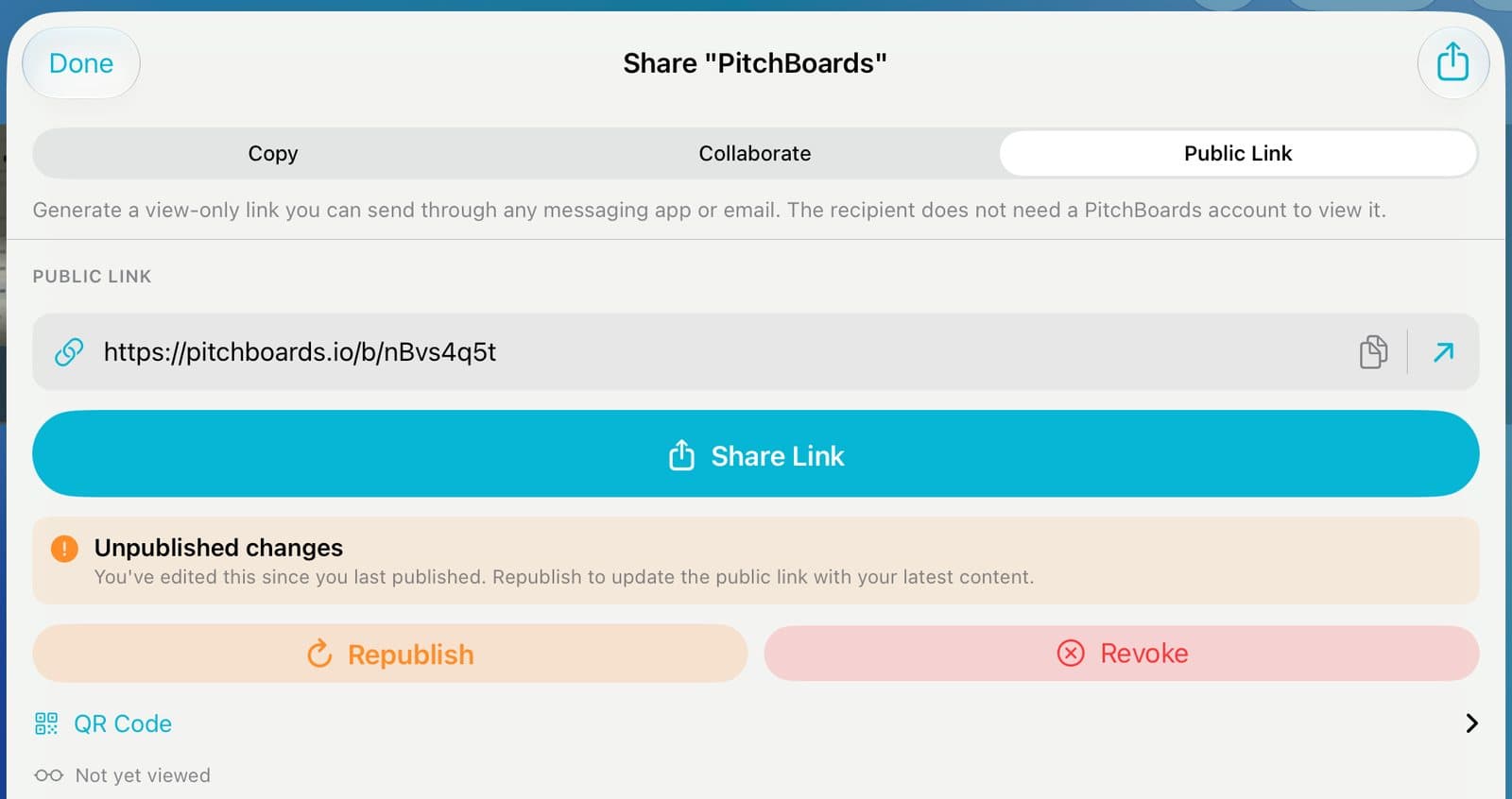
Open Public Link
Press and hold the board and tap Share. Tap Public Link.
Step 2 of 4
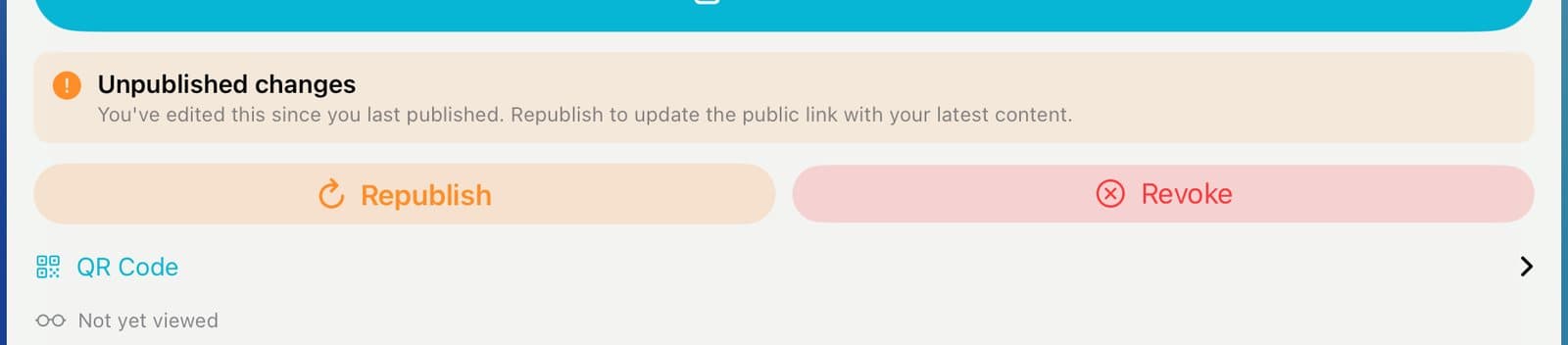
Republish
See Unpublished changes? Tap Republish. The same link now shows your latest version.
Step 3 of 4
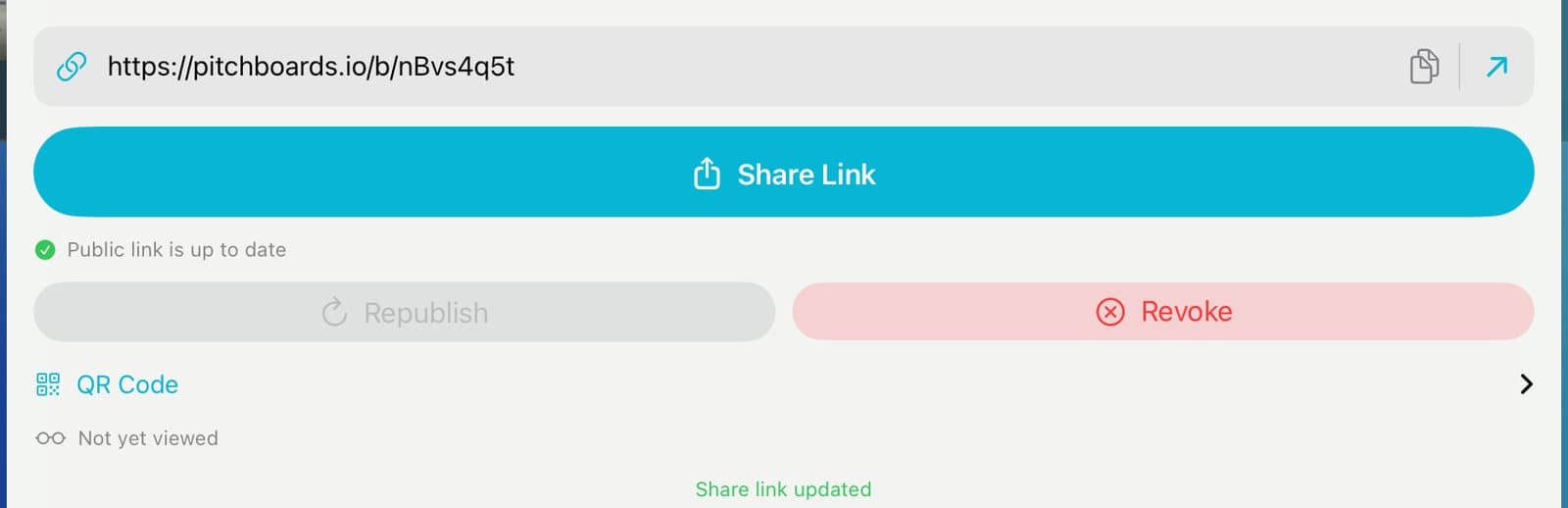
Check it's up to date
It says Public link is up to date. Below that, see how many times it's been viewed.
Step 4 of 4
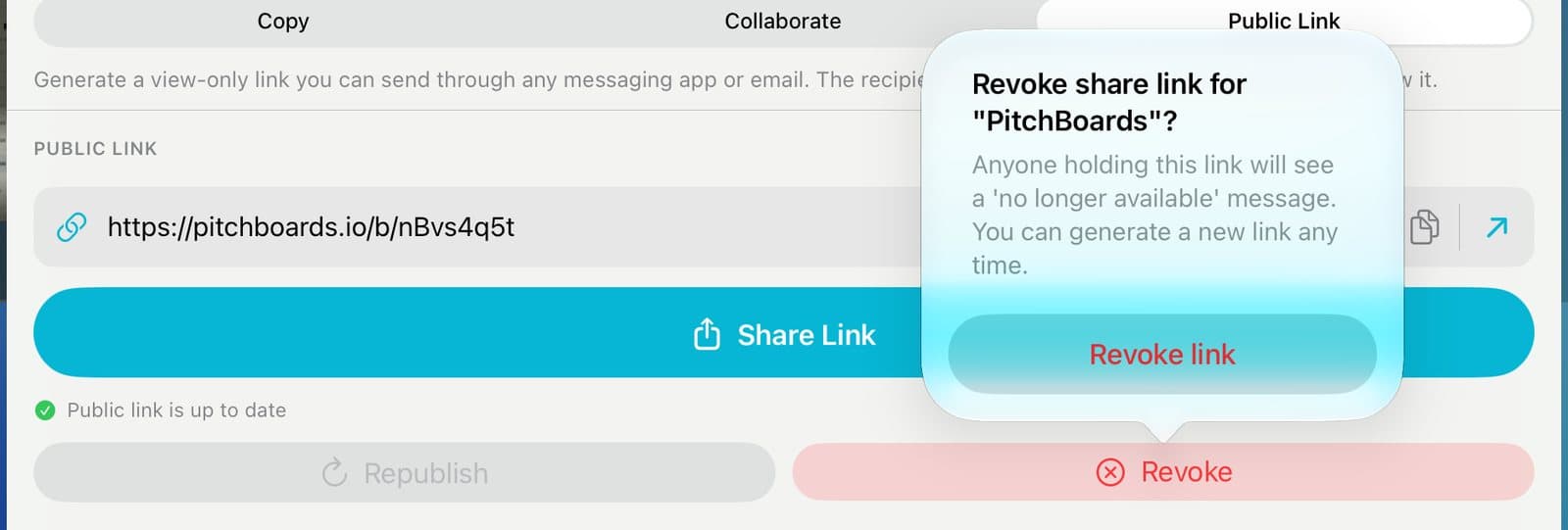
Turn it off
Tap Revoke, then Revoke link. Anyone with the old link sees that it's no longer available.
Good to know
Links don't expire. They work until you revoke them.
After you revoke a link, you can make a new one anytime.
Editors on the board can republish. Only the owner can revoke.