Getting started
Switch between editing and presenting
Every board has two modes. Presenting is what your client sees. Edit Mode is where you change things. Boards always open presenting. To edit, tap the ⋯ button, then Edit Mode. To present again, tap the play button at the top right. Tap ✕ to close the board.
Updated By Isaac Stalzer
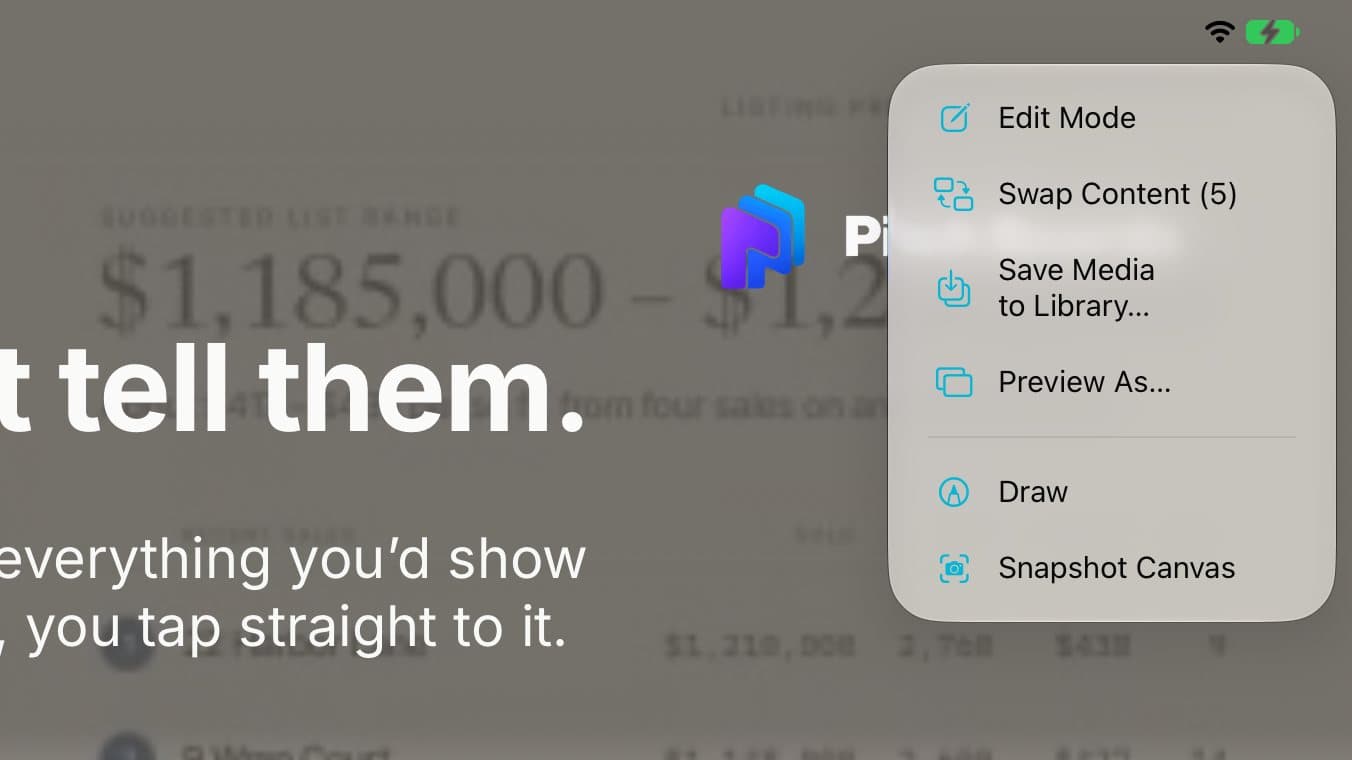
Step 1 of 4
Tap ⋯ then Edit Mode
A board opens ready to present. To change it, tap ⋯ at the top right. Tap Edit Mode.

Step 2 of 4
Now you can edit
Your tools show at the top. Small ⋯ buttons show on each tile.

Step 3 of 4
Tap ▶ to present
The tools hide. Now it's ready for your client.

Step 4 of 4
Tap ✕ to close
Tap ✕ at the top left to go back to your boards.
Good to know
Want it on a TV? See Account → Help Center → Present on the Big Screen.
Hold your iPad sideways for the biggest view.