Share
Send a board with a link or QR code
Press and hold a board and tap Share. Pick Public Link, then tap Generate share link. Send the link in a text or an email. Your client opens it in any web browser, with no app and no account. The QR Code button makes a code you can print for an open house.
Updated By Isaac Stalzer
Step 1 of 5
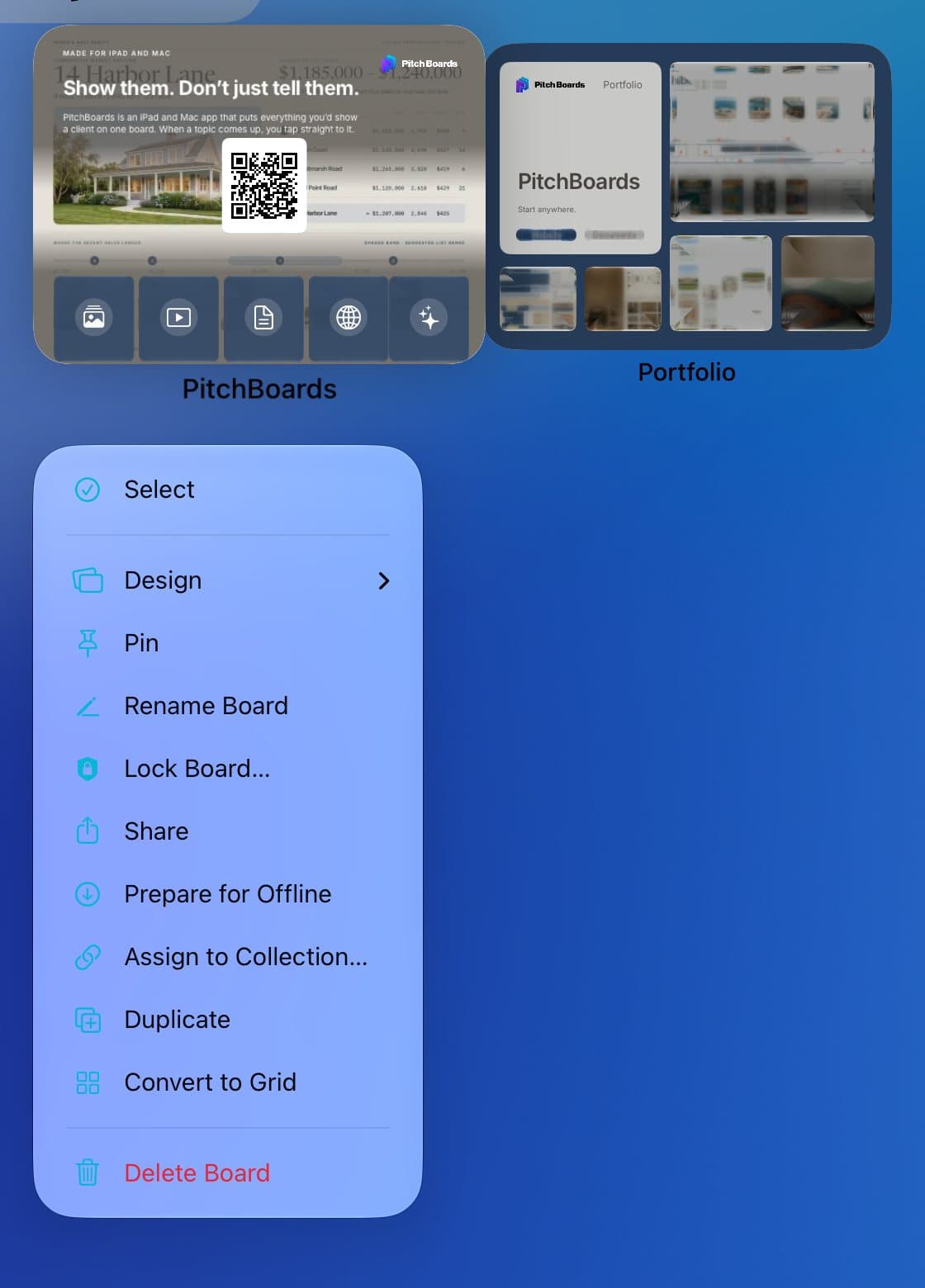
Press and hold, then Share
Press and hold a board. Tap Share.
Step 2 of 5
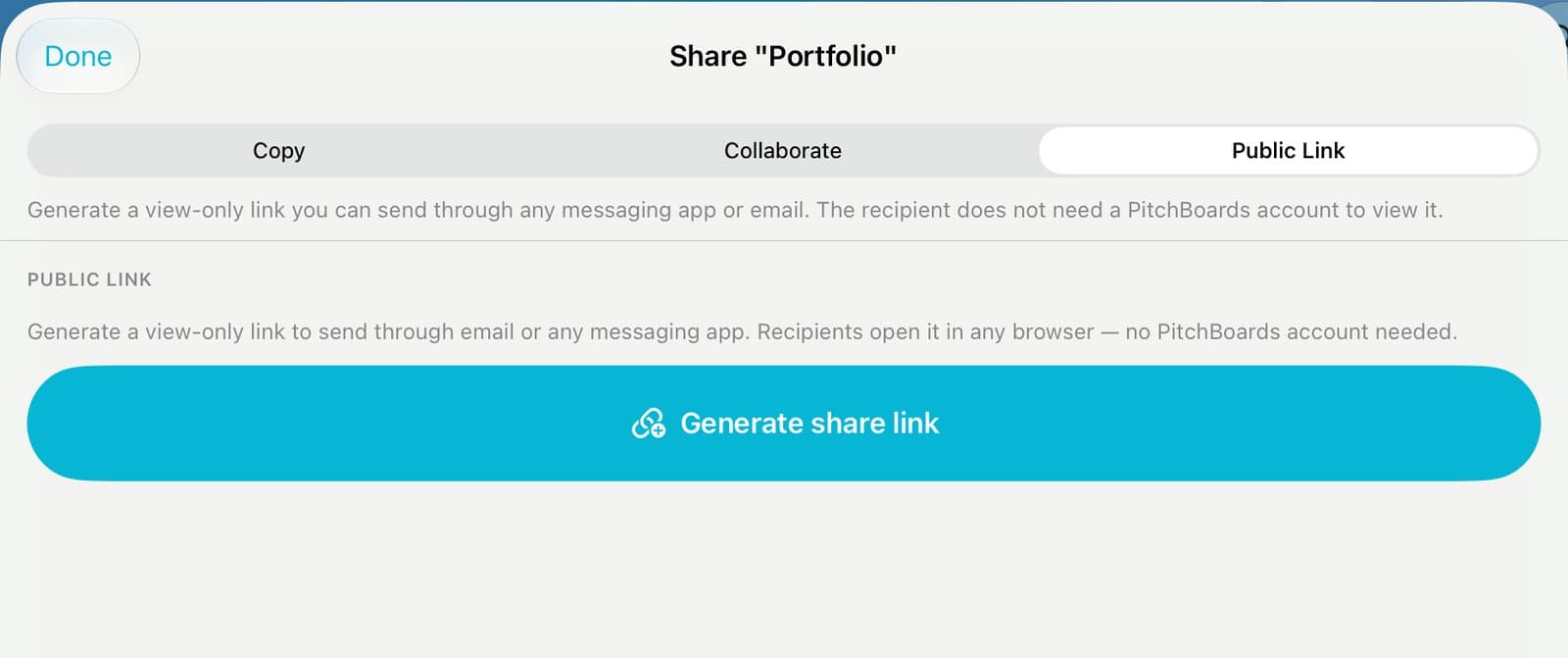
Tap Public Link, then Generate
Tap Public Link. Tap Generate share link.
Step 3 of 5
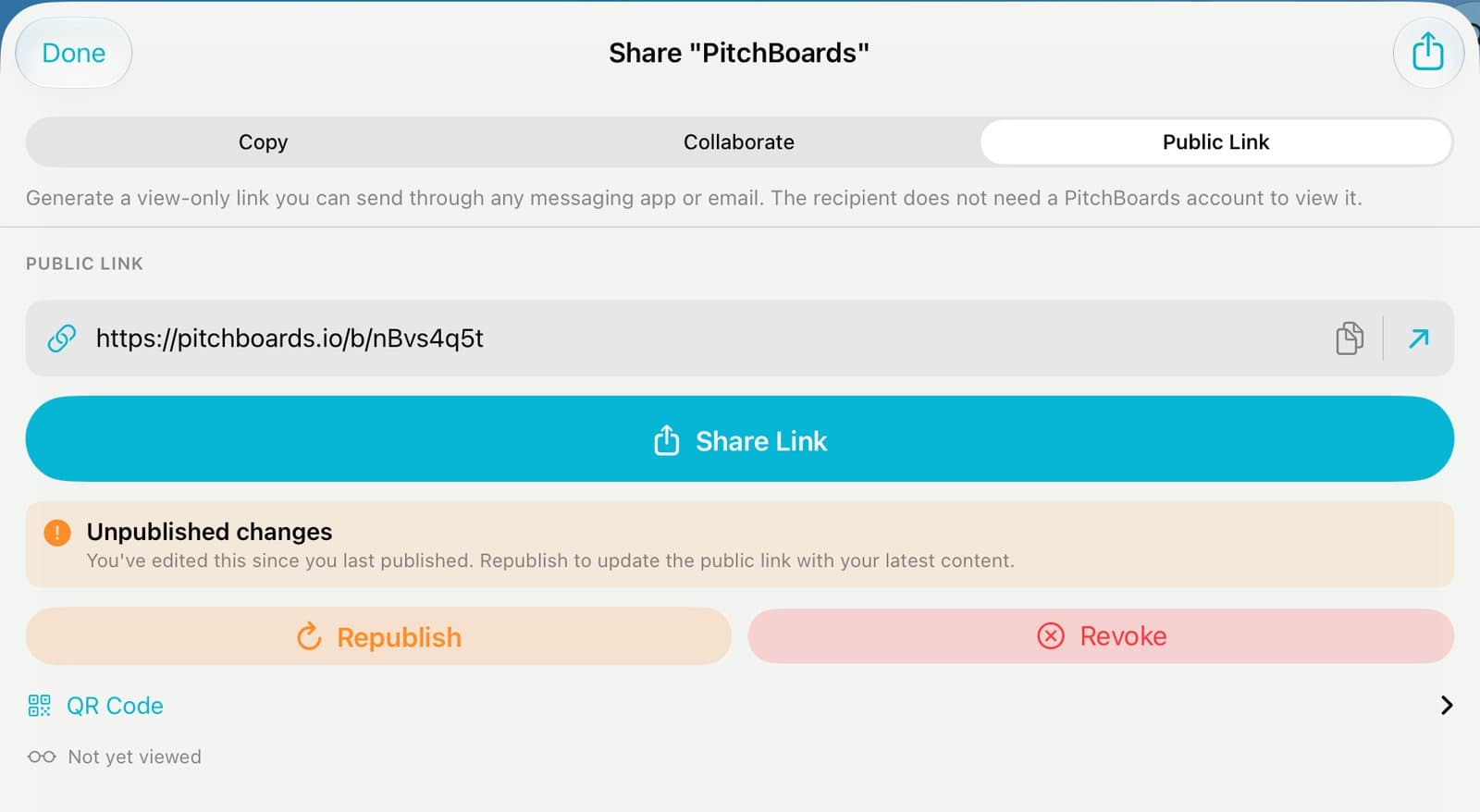
Tap Share Link
Tap Share Link and pick Messages or Mail. Or tap the link to copy it.
Step 4 of 5
Changed the board? Republish
The link doesn't change by itself. Tap Republish to send your newest version. The link stays the same.
Step 5 of 5
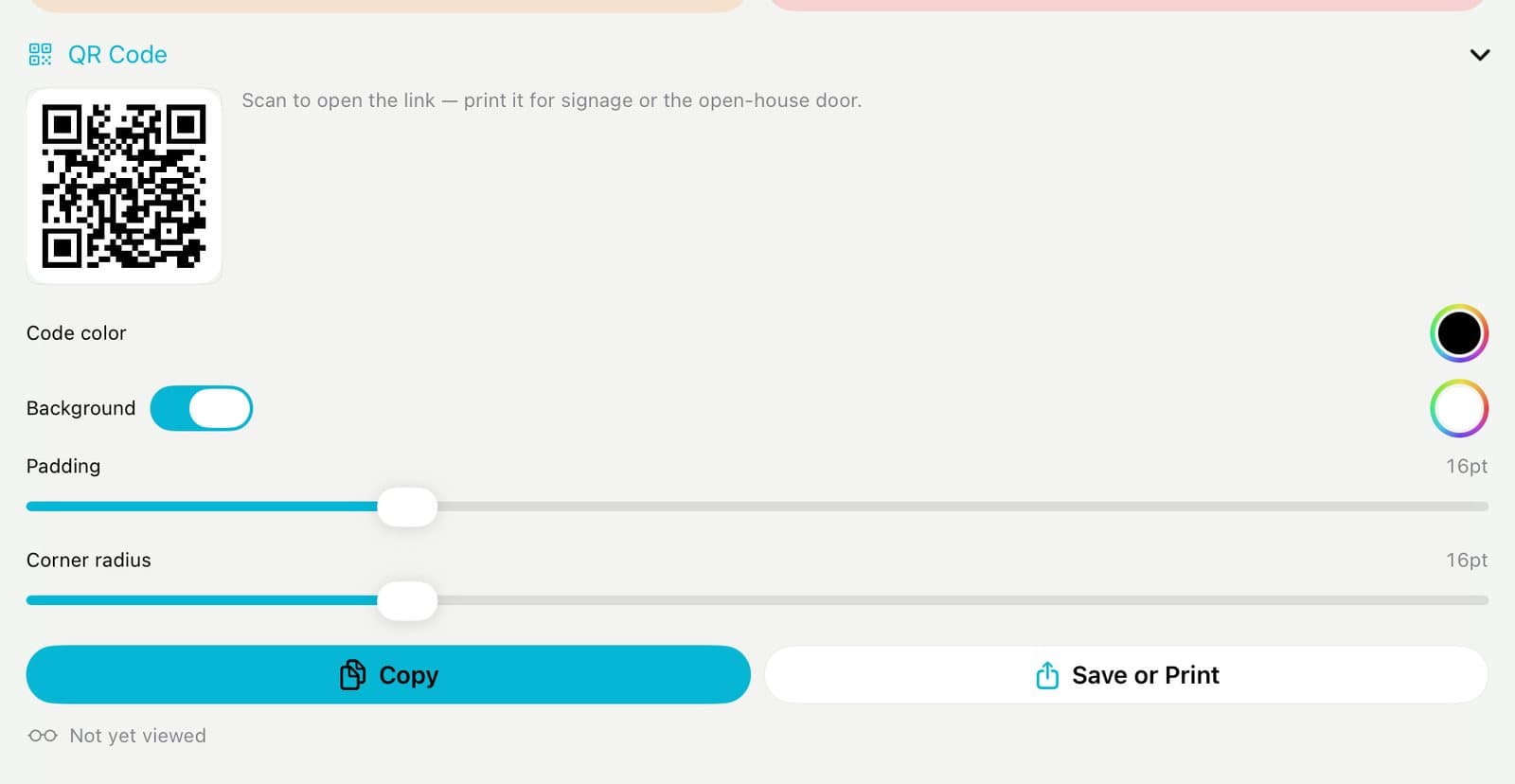
Get a QR code
Tap QR Code. Tap Save or Print to put it on a sign.
Good to know
Revoke turns the link off. Only the board's owner can do it.
Copy gives someone their own copy. Collaborate lets them work on it with you.
Hidden PDF pages stay out of the link.