Team
Find what your office shared with you
Boards, tiles, and files your office shares with you show up under Shared in the sidebar. A live badge means it updates when the owner changes it. Press and hold one to make your own copy or to hide it. Hidden ones come back from the Boards filter, under Hidden Live Shares.
Organization plansUpdated By Isaac Stalzer
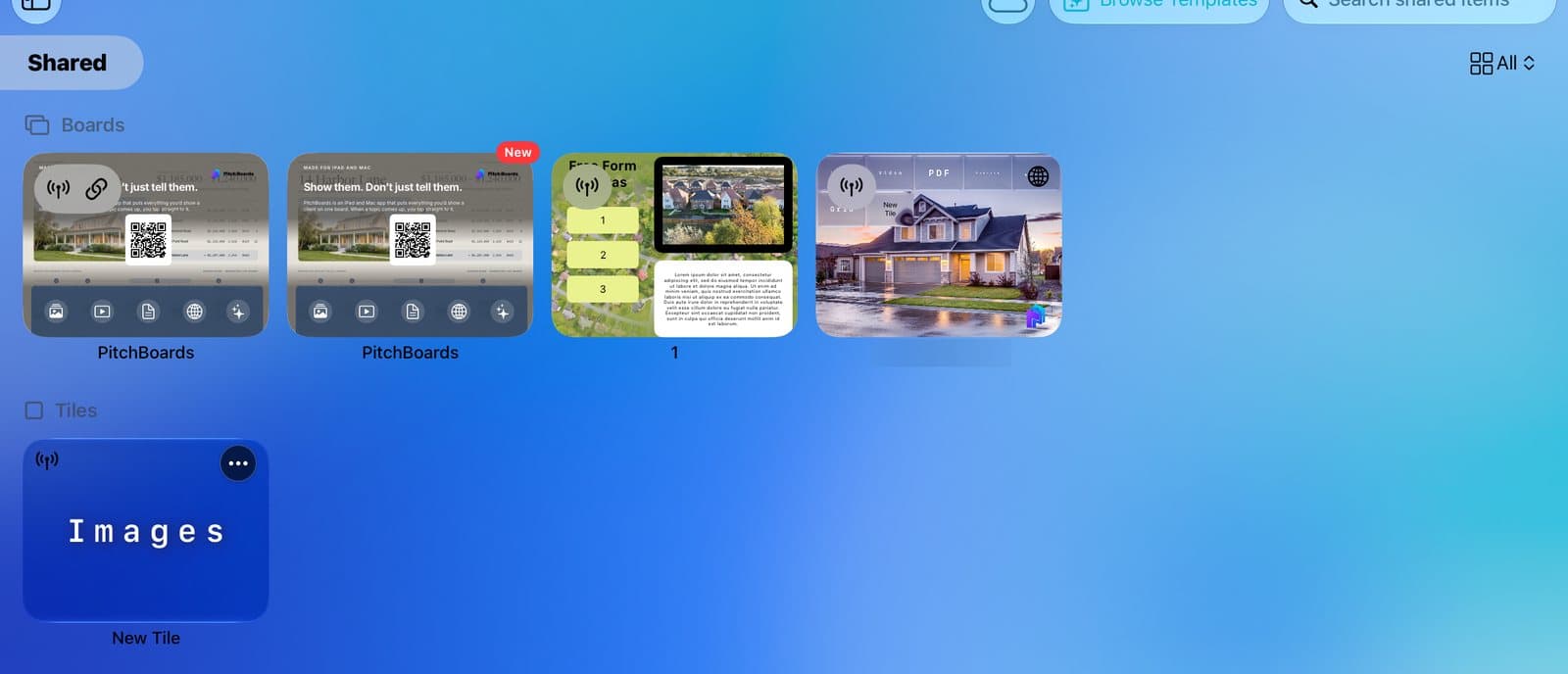
Step 1 of 4
Open Shared
Tap Shared in the sidebar. What your office shares is here. The live badge means it stays up to date.
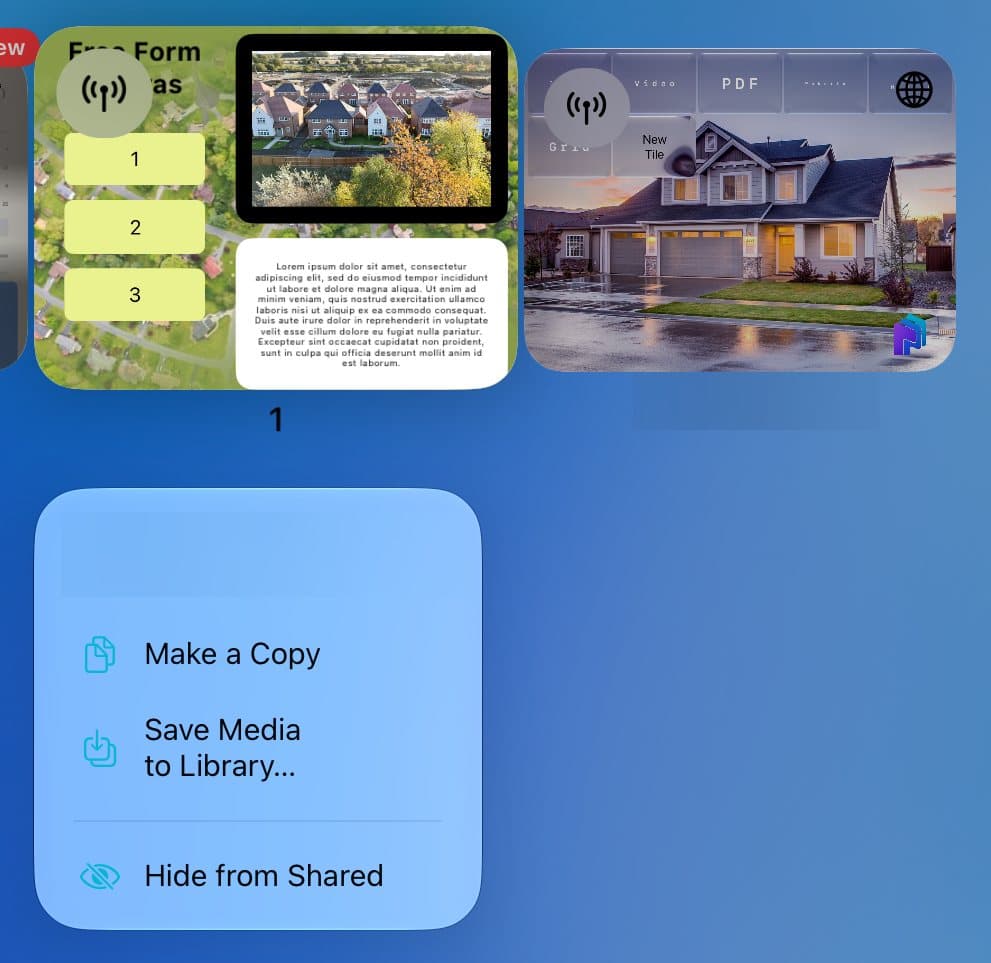
Step 2 of 4
Copy it or hide it
Press and hold one. Tap Make a Copy for your own version. Tap Hide from Shared to tidy up.
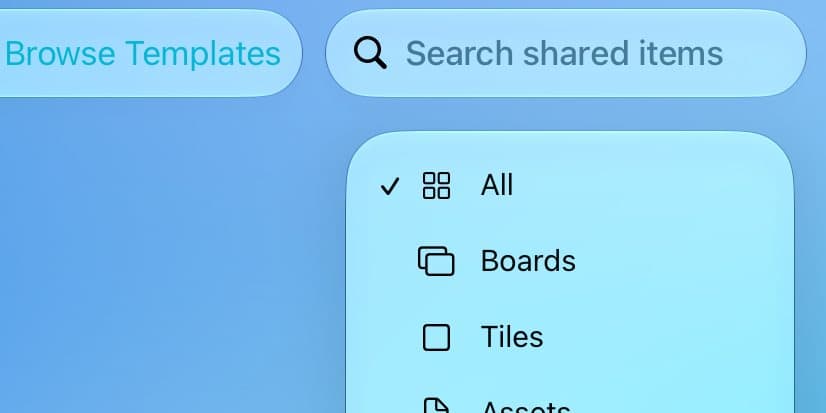
Step 3 of 4
Find hidden ones
Tap the filter at the top right. Tap Boards.

Step 4 of 4
Bring it back
Under Hidden Live Shares, tap Unhide.
Good to know
You can't change a live board unless you're an editor. Make a copy to change your own version.
Leave the office, and its shared boards go away from Shared.