Getting started
Get back a board you deleted
Deleted boards go to Trash first, not away forever. Open the sidebar and tap Trash. Press and hold the board, then tap Restore. It goes right back to your boards. Trash keeps things for 90 days. After that, they're deleted for good.
Updated By Isaac Stalzer
Step 1 of 4
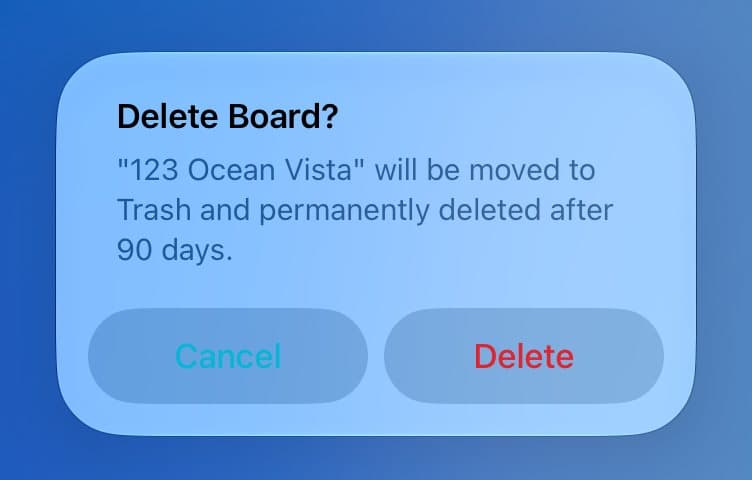
Deleting sends it to Trash
When you delete a board, PitchBoards moves it to Trash.
Step 2 of 4
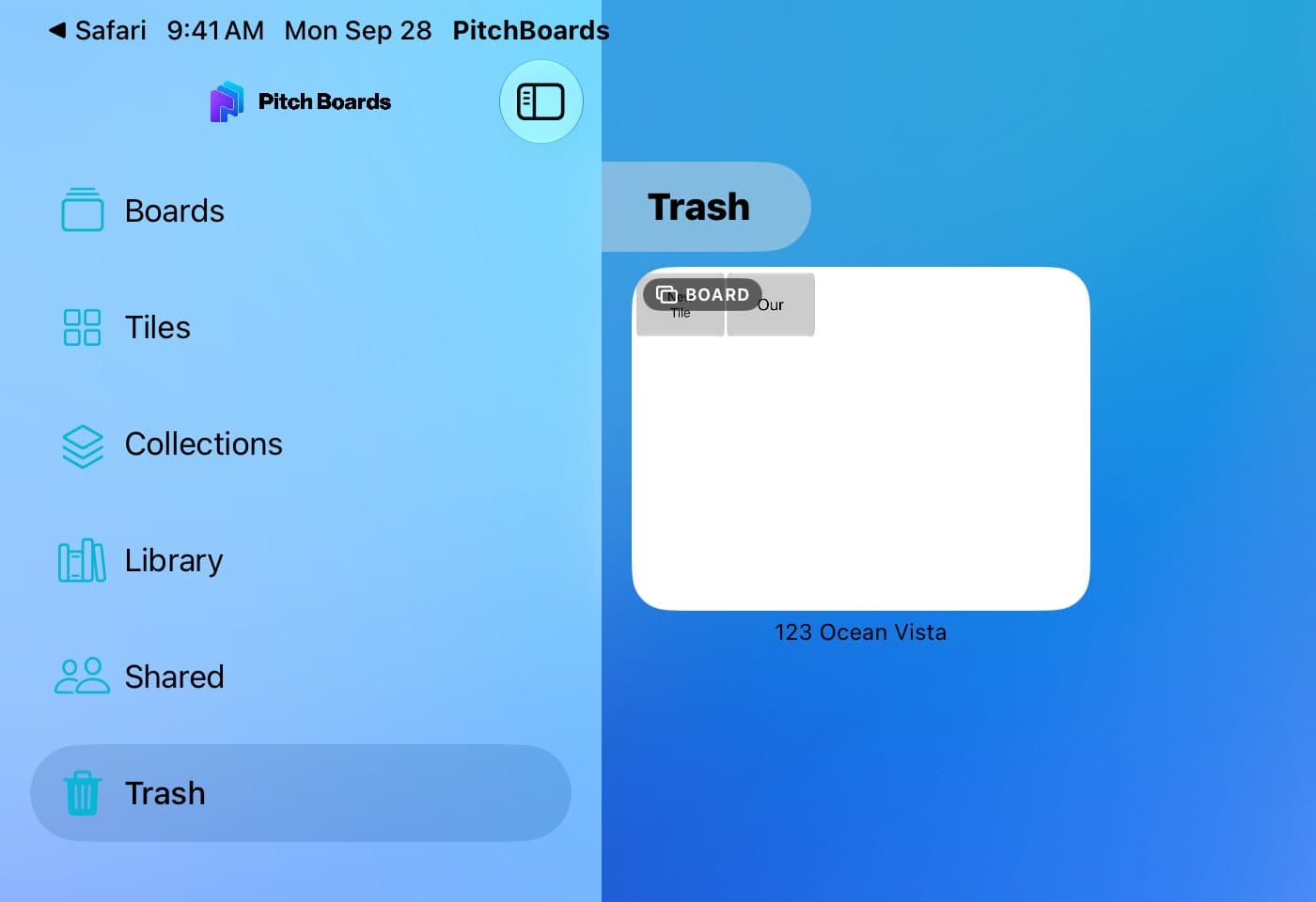
Open Trash
Open the sidebar and tap Trash.
Step 3 of 4
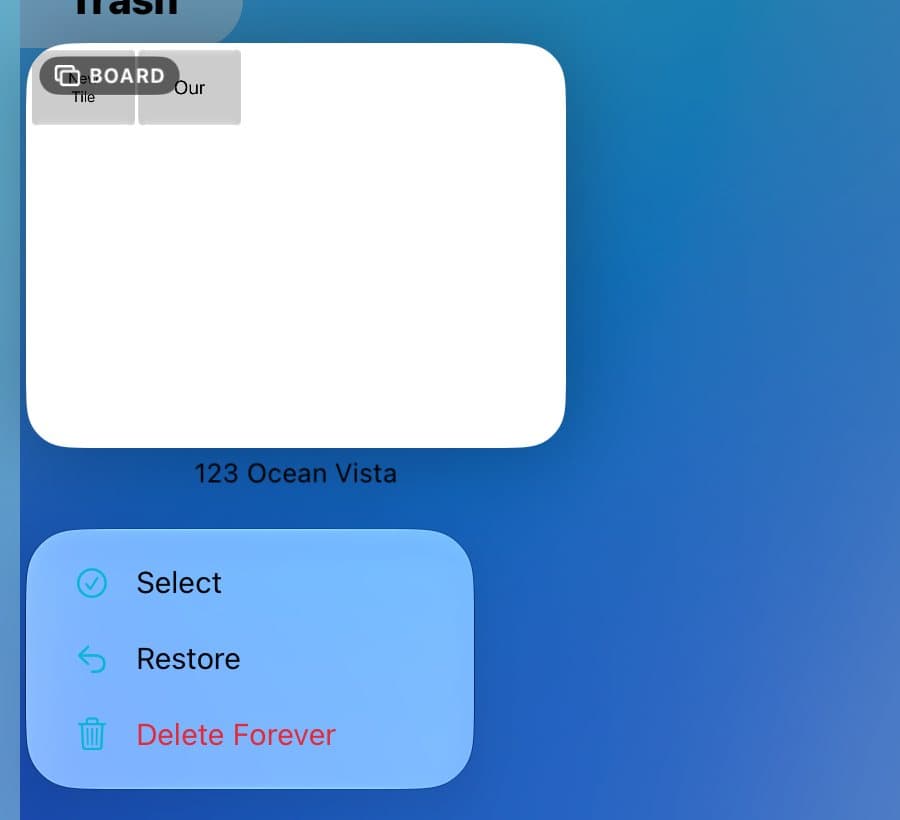
Press and hold, then Restore
Press and hold the board. Tap Restore.
Step 4 of 4
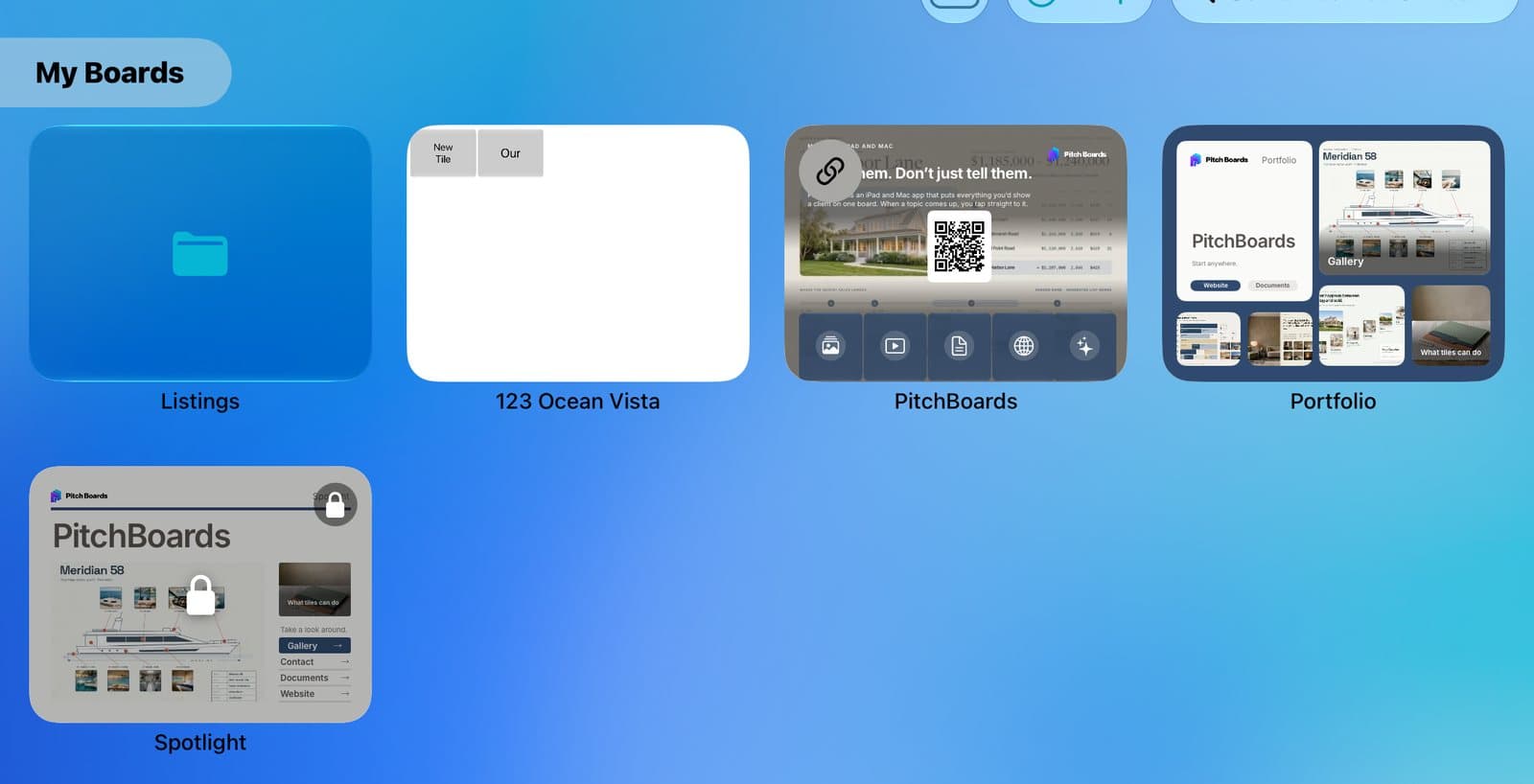
It's back
The board is back in Boards, just how you left it.
Good to know
Delete Forever and Empty Trash can't be undone.
Trash holds deleted tiles and files too.