Team
Join your office with a code
If your office already has PitchBoards, you don't need to buy anything. Ask your owner or admin for the invite code. In the app, go to Account, then Organizations. Type the code and tap Join. Your seat is covered right away, and any locked boards unlock.
Organization plansUpdated By Isaac Stalzer
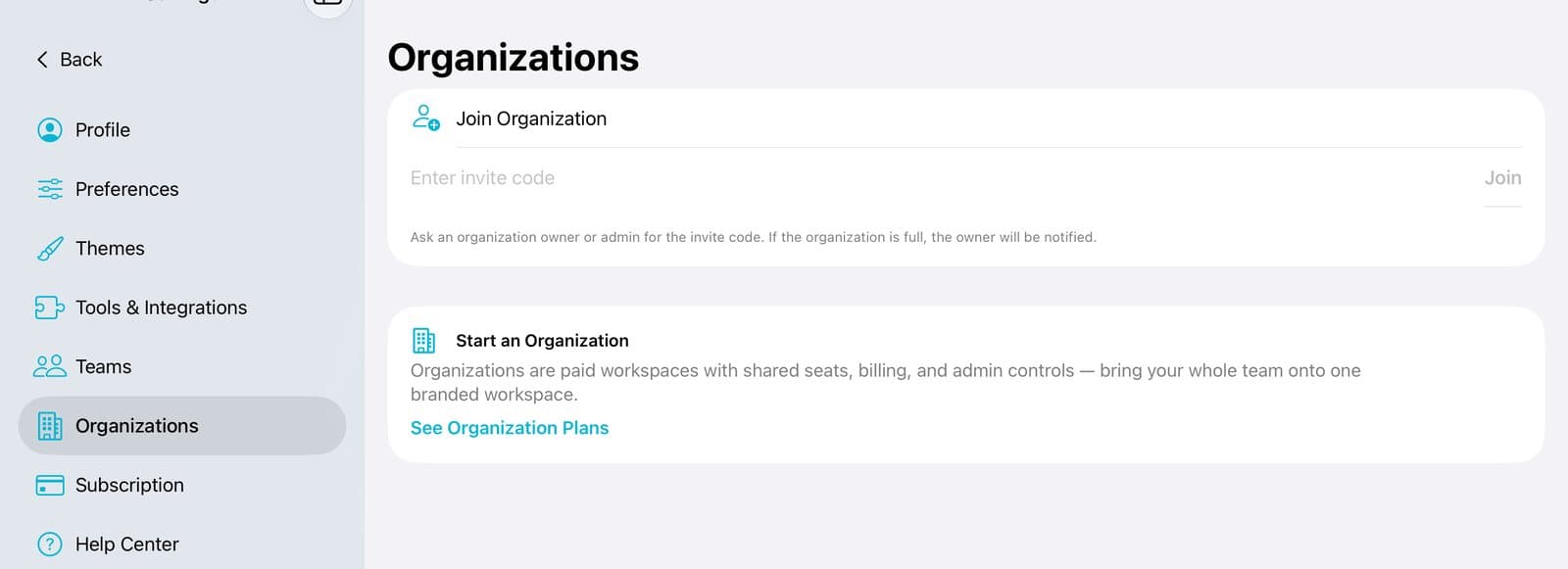
Step 1 of 3
Open Organizations
Tap Account at the bottom of the sidebar. Then tap Organizations.

Step 2 of 3
Type the code and tap Join
Type the code your owner or admin gave you. Tap Join.
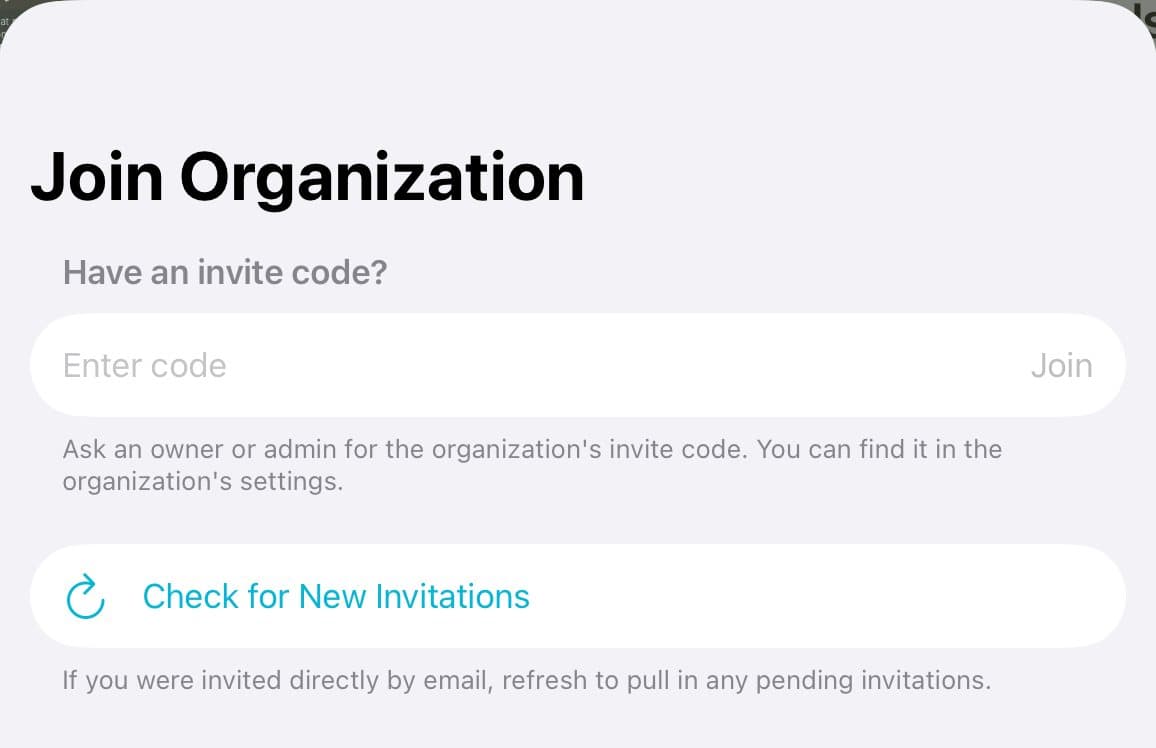
Step 3 of 3
Got an email invite?
Tap Check for New Invitations. Then tap Accept.
Good to know
A locked board also has a Join with a Code button.
Is the office full? The owner gets a note and can free up a seat.
The code is in the organization's settings. Only owners and admins can see it.