Team
Make a team
A team is a group of people you work with. Tap Account, then Teams, then Create Team, and give it a name. Open the team, tap Add Member, and type their email. Pick Viewer, Editor, or Admin. They accept the invite in the app. Teams are free and don't use seats.
Updated By Isaac Stalzer
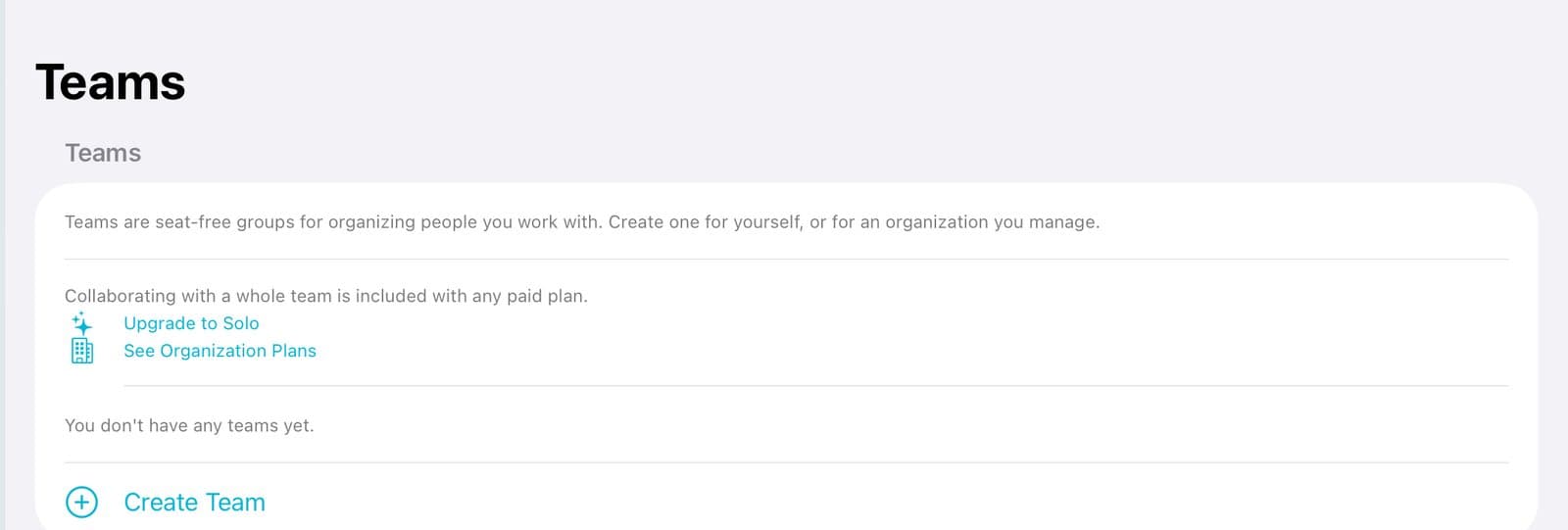
Step 1 of 5
Create a team
Tap Account, then Teams. Tap Create Team.
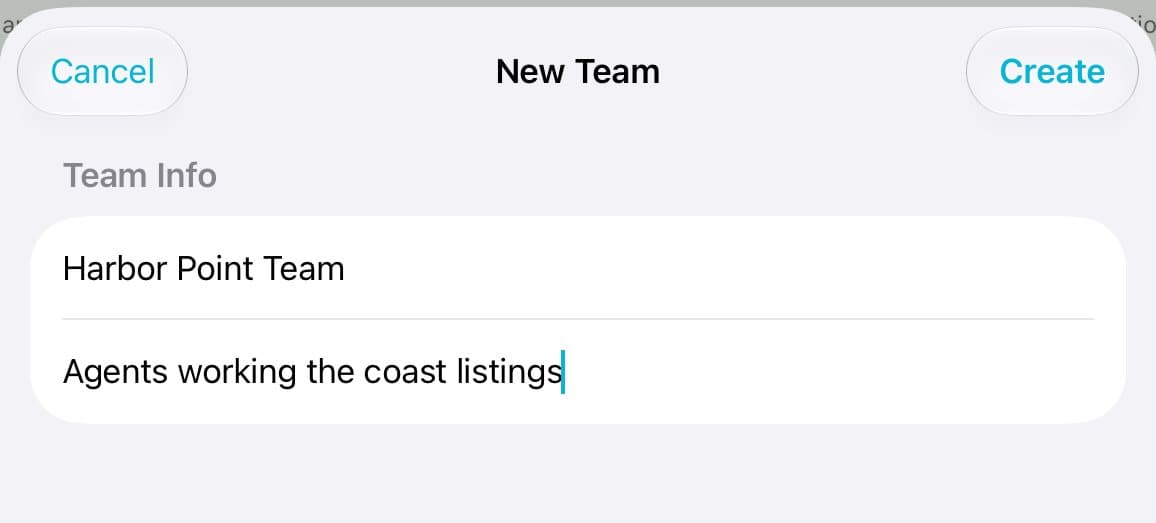
Step 2 of 5
Name it
Type a team name and a short description. Tap Create.
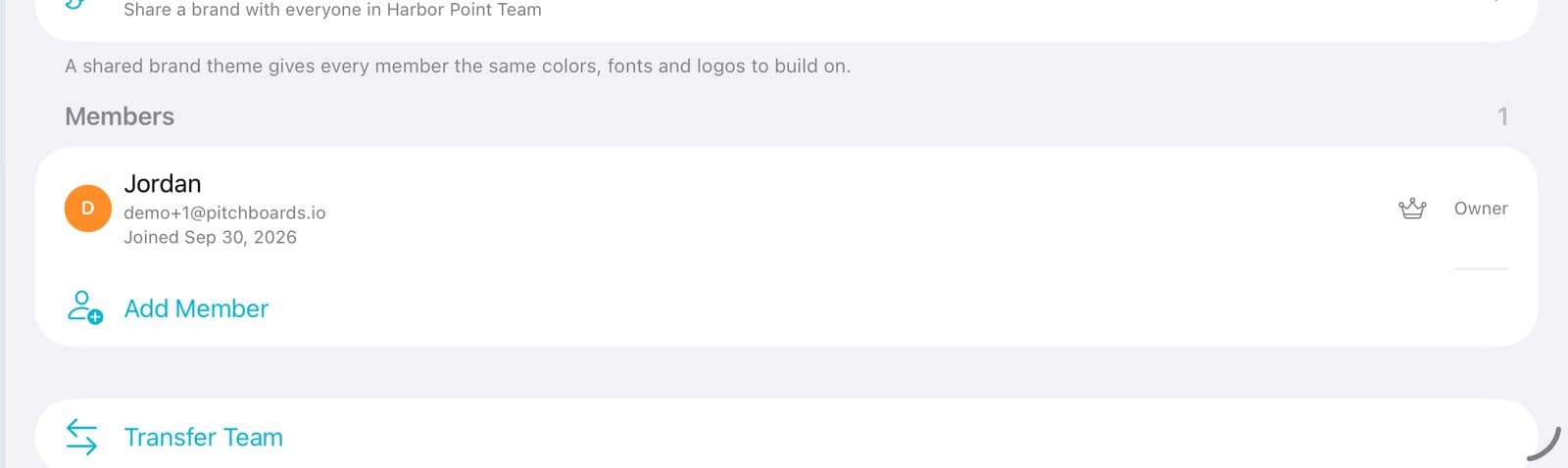
Step 3 of 5
Add people
Open the team. Tap Add Member.
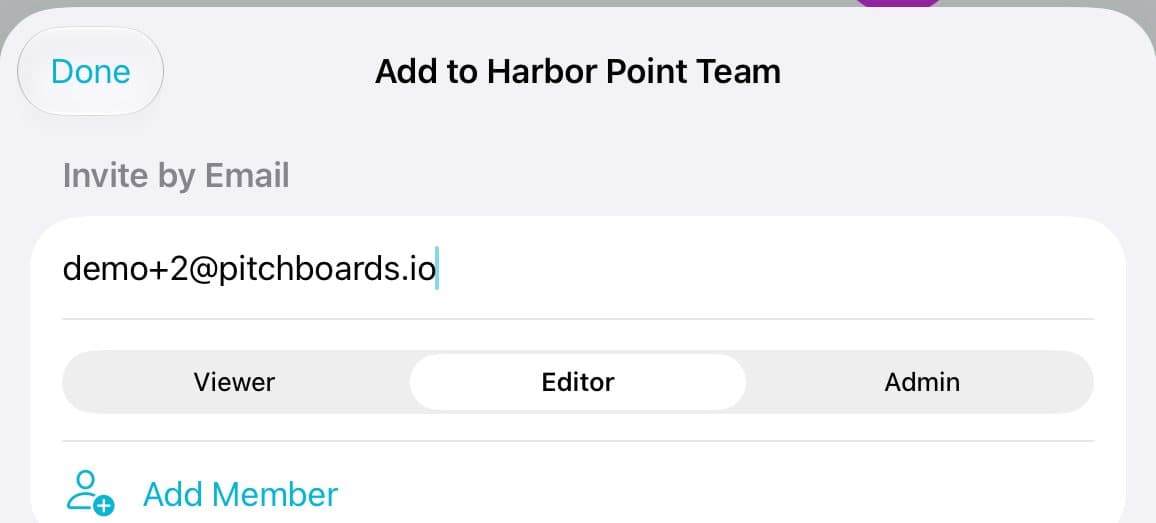
Step 4 of 5
Invite by email
Type their email. Pick Viewer, Editor, or Admin. Tap Add Member.
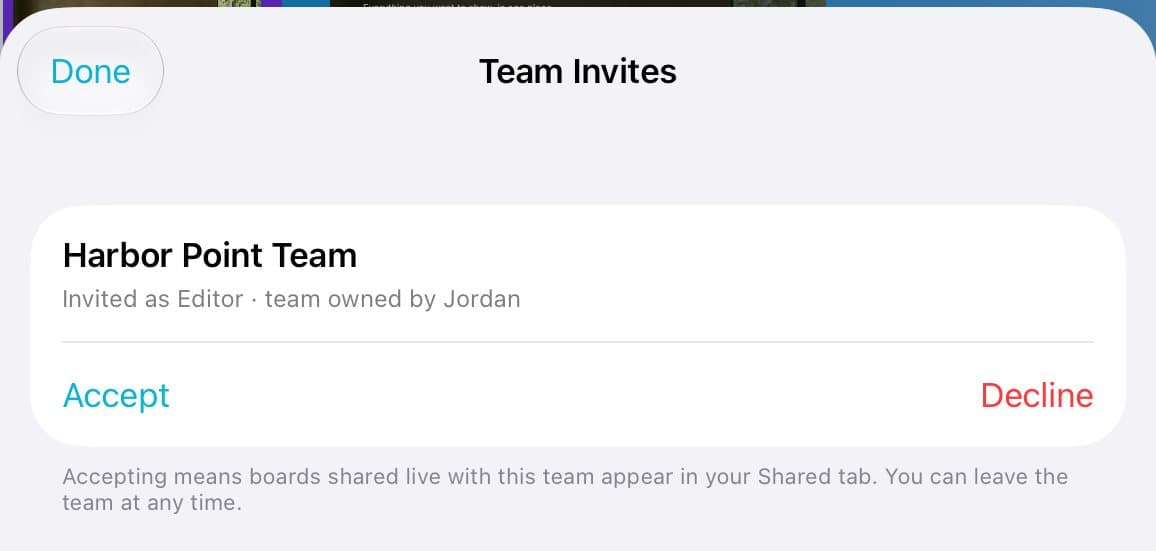
Step 5 of 5
They accept
They see the invite in the app and tap Accept.
Good to know
Teams are free on every plan and don't use seats.
Sharing a board live with a whole team needs a paid plan.
Boards shared with the team show up in each person's Shared.