Build
Put a widget right on a canvas
A widget can sit right on a canvas page, not just behind a tile. In edit mode on a canvas, tap +, then Widget Frame. Tap Browse Library and pick a widget. Drag the corners to size it. When you present, people can use it right there. One widget can run per canvas.
Updated By Isaac Stalzer
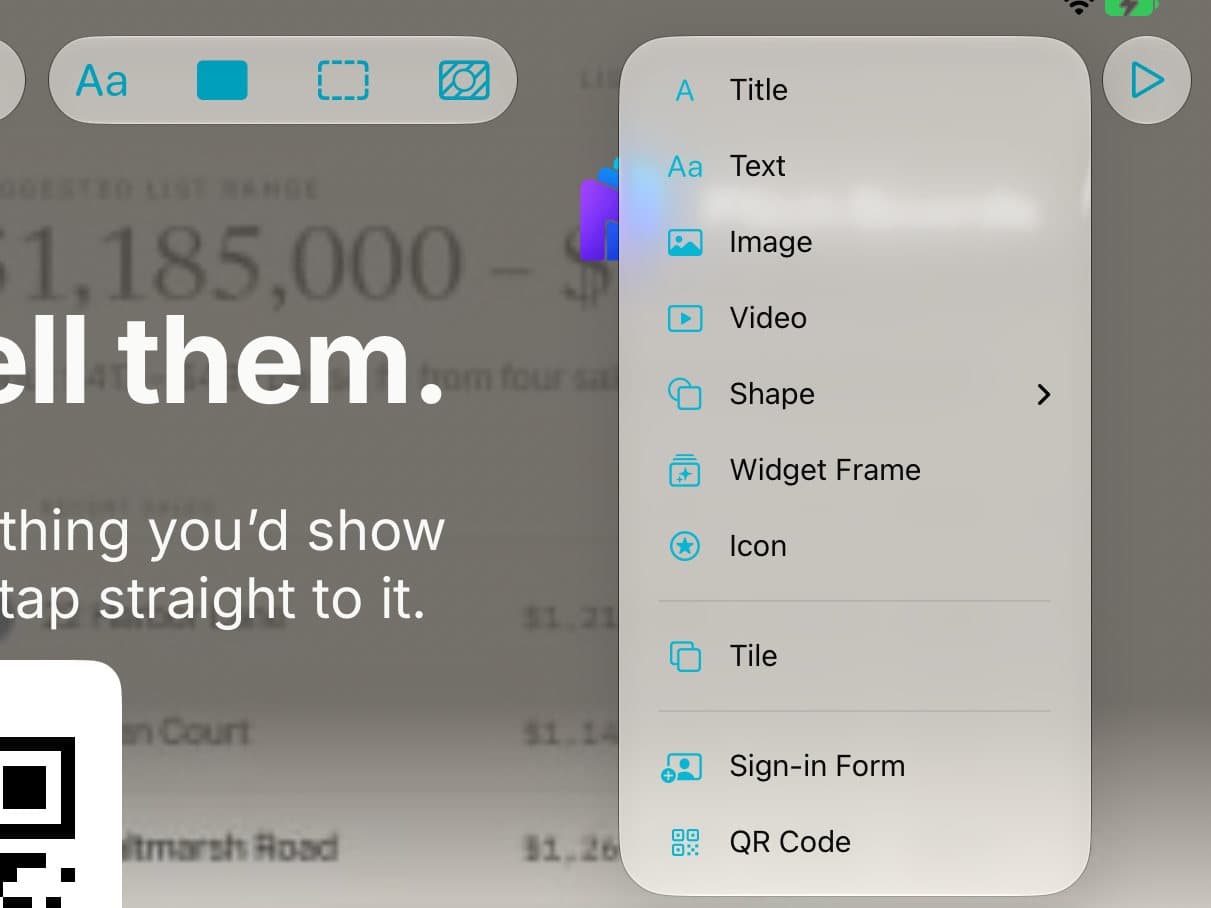
Step 1 of 5
Add a Widget Frame
On a canvas in edit mode, tap +, then Widget Frame.

Step 2 of 5
Pick your widget
Tap Browse Library to use a widget you've made or added.
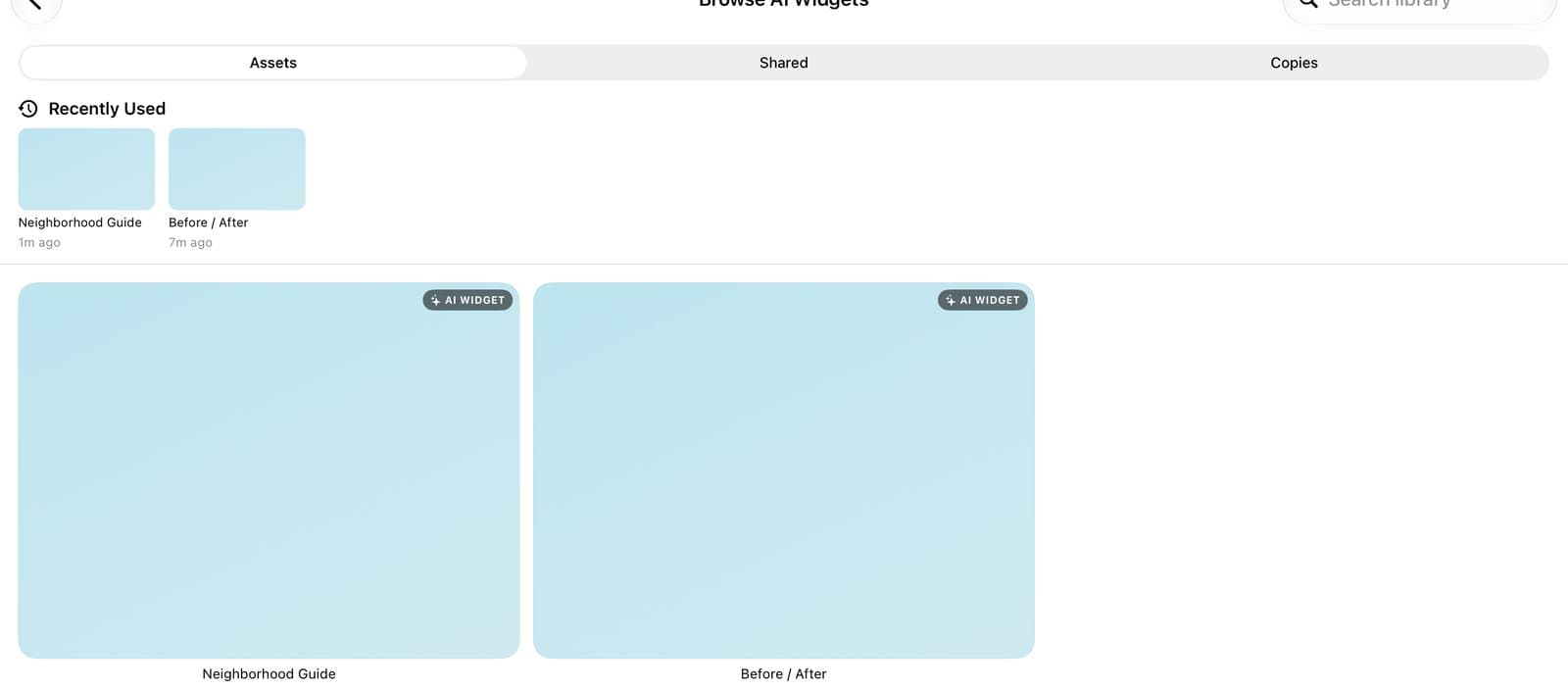
Step 3 of 5
Tap it
Tap the widget you want.
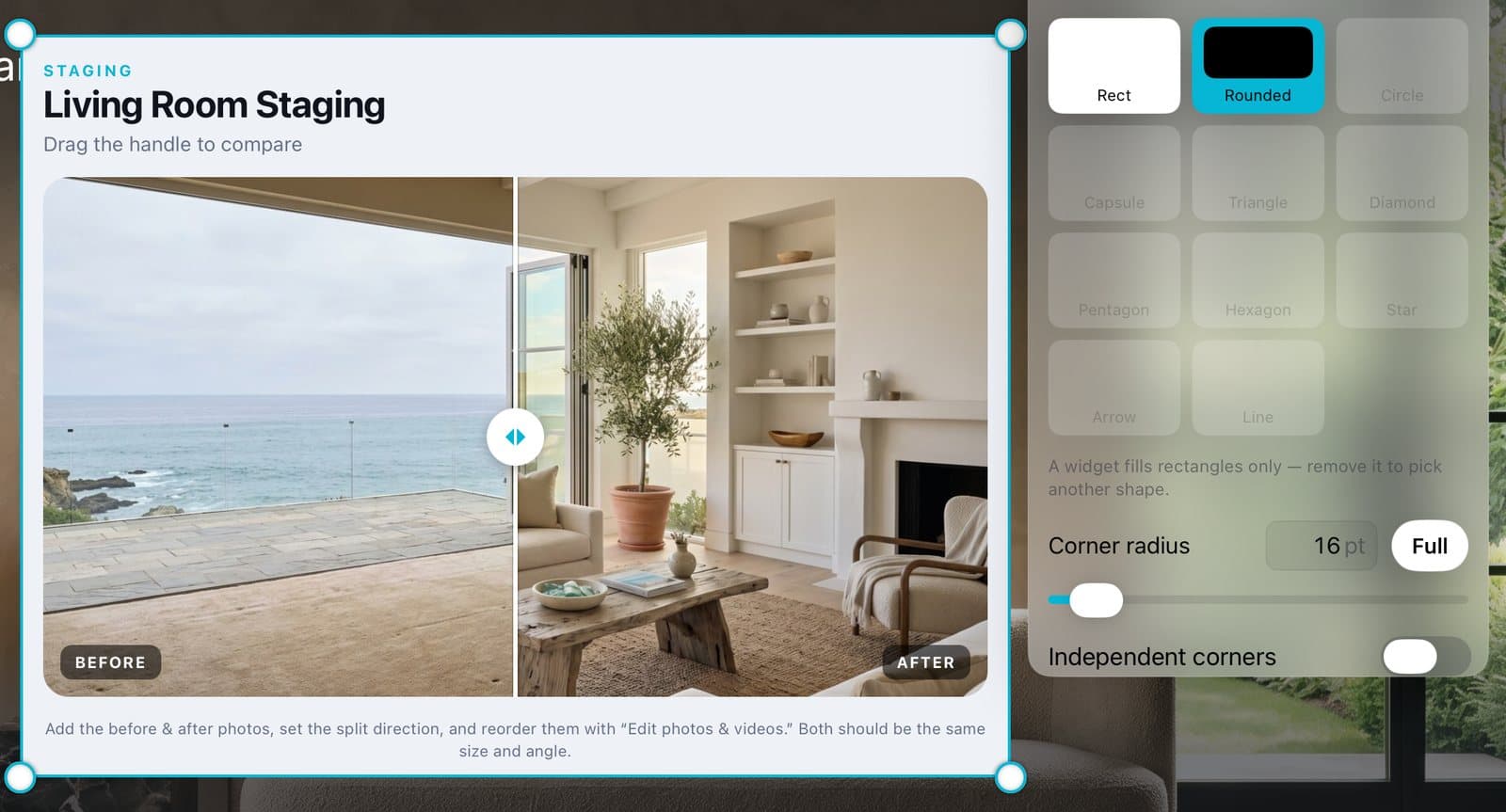
Step 4 of 5
Size it
Drag the corners to size it. Pick Rect or Rounded in the Shape panel.
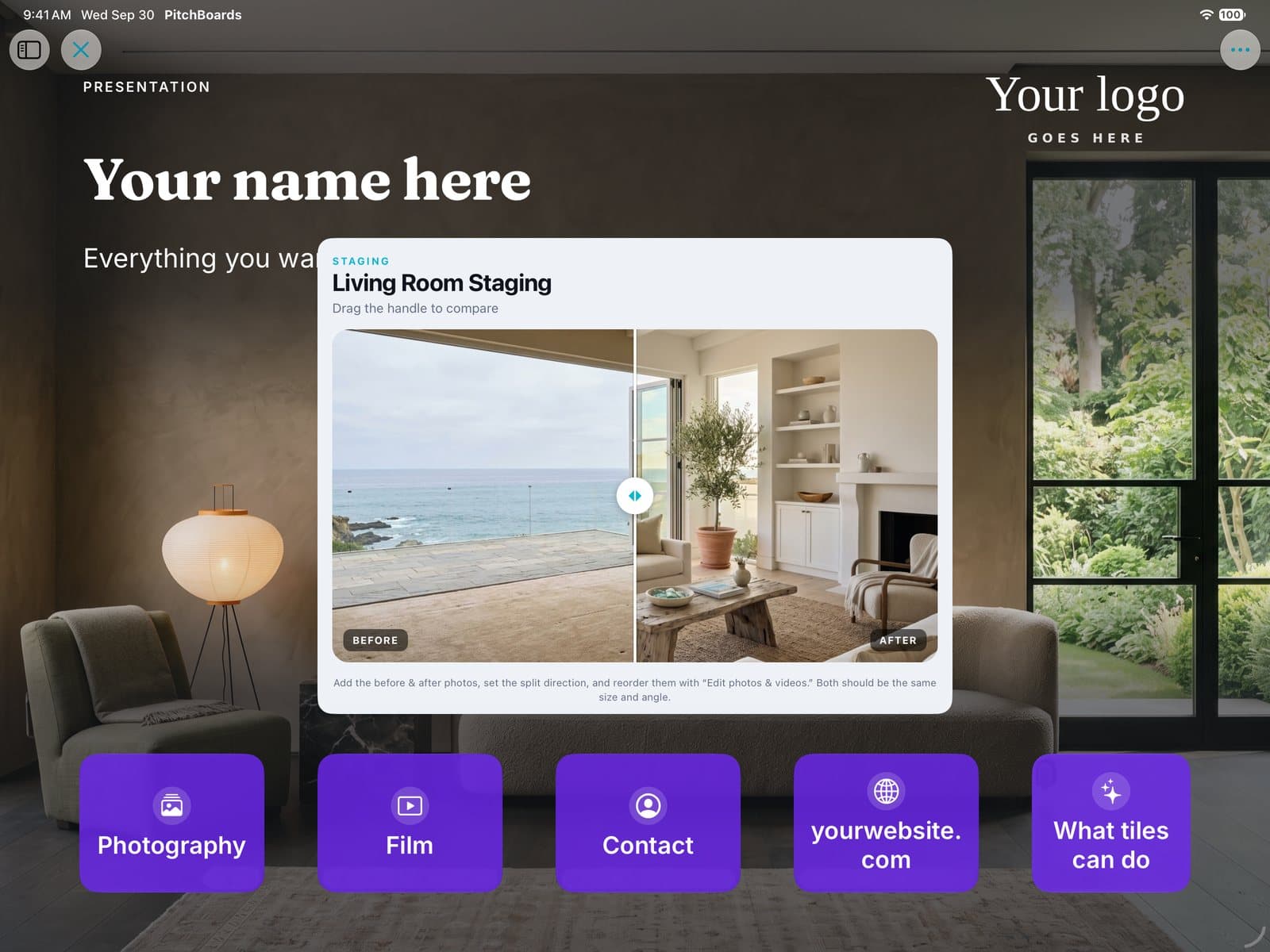
Step 5 of 5
Present it
Tap ▶ to present. People can use the widget right on the page.
Good to know
One widget can run per canvas.
The Templates here are moving backgrounds. Use Browse Library for calculators and sliders.
Taps on the widget work when you present. While you edit, it holds still.